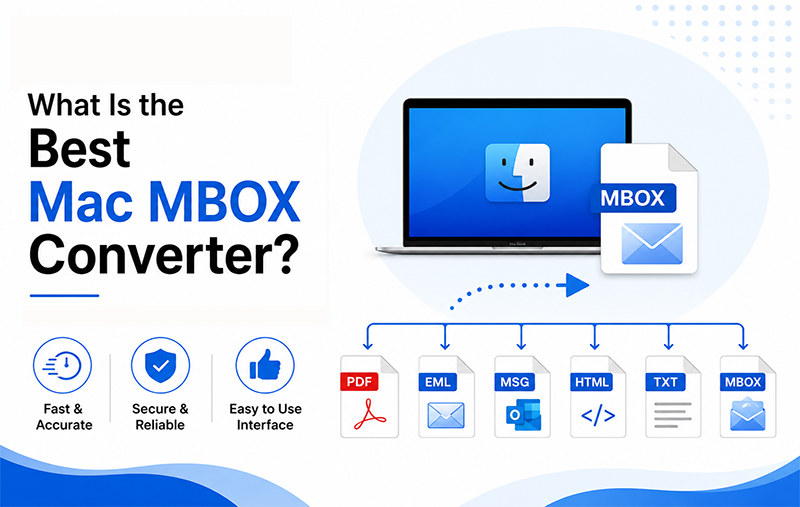
Summary: Looking for the best Mac MBOX Converter to convert or export MBOX files on macOS? MBOX is widely used by email applications such as Apple Mail and Thunderbird, and it is also commonly obtained through Gmail or other email archive exports. Apple Mail itself can import and export mailboxes in MBOX format, but it may not provide the flexibility needed when you want to convert a large MBOX collection into PST, PDF, EML, MSG, CSV, or cloud platforms.
For users who need a more flexible solution, MacMister MBOX Converter for Mac provides multiple saving options from a single interface. It supports batch processing, preserves important email properties and attachments, maintains folder hierarchy, and can export MBOX data to desktop formats as well as services such as Gmail, IMAP, Office 365, and Google Workspace.
This guide explains what to look for in the best MBOX converter for Mac, why users convert MBOX files, and how MacMister can help make the process easier.
User Query: What Is the Best MBOX Converter for Mac?
“I have several MBOX files stored on my Mac from an old email account. I want to convert them into different formats so that I can access my emails in Outlook, save some messages as PDF, and move other mailboxes to a cloud account. I also want to make sure that attachments, email details, and folder organization remain intact. What is the best Mac MBOX Converter for this purpose?”
This is a practical requirement for users who have accumulated MBOX archives over the years. Manually handling individual emails can become difficult when the mailbox contains hundreds or thousands of messages.
The right MBOX Converter should therefore offer more than simple file conversion. It should support bulk processing, multiple output options, attachments, folder hierarchy, and reliable data handling.
Why Do Users Need a Mac MBOX Converter?
MBOX is a widely used mailbox format, but it is not equally convenient for every email application. For example, Apple Mail supports MBOX import and export natively, while other destinations may require a different format or migration approach.
Here are some common reasons users look for an MBOX Converter for Mac:
1. Convert MBOX to Outlook PST: Users moving their archived emails to Microsoft Outlook may need PST because Outlook does not natively work with MBOX as its primary mailbox format. Converting MBOX to PST provides a more suitable route for Outlook-based email management.
2. Save MBOX Emails as PDF: PDF is useful when emails need to be stored for documentation, sharing, printing, or long-term reference. Instead of keeping an entire mailbox archive, users can create individual PDF copies of important messages.
3. Export MBOX to EML or MSG: EML and MSG are useful when users need individual email files rather than one consolidated mailbox. This can make specific messages easier to share, archive, or process.
4. Move MBOX Emails to Cloud Platforms: Users may want to migrate archived MBOX data to Gmail, Office 365, Google Workspace, or an IMAP account instead of keeping everything locally.
5. Convert Multiple MBOX Files: Manually converting files one by one becomes inefficient when dealing with a large email archive. A batch conversion feature allows multiple files or folders to be processed together.
6. Preserve Email Attachments: Attachments are often just as important as the email body. A suitable converter should process attachments alongside their associated messages rather than requiring users to save them separately.
7. Maintain Folder Organization: A large mailbox can contain Inbox, Sent, Drafts, Archive, and custom folders. Maintaining this organization after conversion makes the resulting mailbox much easier to manage.
What Should You Look for in the Best Mac MBOX Converter?
Before choosing an MBOX conversion application, consider these important capabilities:
- Support for multiple MBOX files
- Batch conversion
- Multiple output formats
- Cloud migration options
- Attachment preservation
- Email metadata preservation
- Folder hierarchy retention
- File naming options
- Simple interface
- Compatibility with current macOS versions
- Secure local processing
- Conversion status or report
These features are particularly important when working with a large archive where manually checking every converted email would be impractical.
Professional MacMister MBOX Converter for Mac
MacMister MBOX Converter for Mac is designed for users who want to convert or migrate MBOX data from a Mac without relying on Outlook. According to its official product information, the application supports 15+ saving options, including PST, PDF, MSG, CSV, EML, HTML, and cloud destinations such as Gmail, IMAP, Office 365, and Google Workspace.
The software also supports both individual file selection and folder-based selection. This is useful when a user has a large collection of MBOX files and wants to process them together rather than repeatedly selecting files one at a time.
How MacMister MBOX Converter Works
The conversion process is designed around a simple workflow:
- Install the MacMister MBOX Converter on your Mac and add the required MBOX files. You can use the file-selection option for individual files or the folder option when working with multiple MBOX files.
- Choose the required output format or migration destination. Depending on your requirement, you can select options such as PST, PDF, EML, MSG, CSV, Gmail, Office 365, Google Workspace, or IMAP.
- Depending on the selected destination, configure the available sub-options. File naming, destination location, and other settings can be adjusted according to the selected output type.
- Select the destination and start the export process. The software processes the selected MBOX data and saves the converted files to the specified location or destination.
- After the process is completed, Software can generate a conversion status report containing details about the operation.
Key Benefits of MacMister MBOX Converter
- The batch-processing capability is useful for users who have multiple MBOX files or large mailbox collections. Software provides both Add File(s) and Add Folder options for selecting MBOX data.
- One of the major benefits is the range of output choices. Instead of using different applications for different migration requirements, users can select the required saving option from the same software.
- The software is designed to retain important email information such as From, To, Cc, Bcc, Subject, timestamps, hyperlinks, signatures, and other available message properties during conversion.
- Attachments can be processed along with the corresponding email messages. For supported PDF exports, the software also provides options related to embedding or separately saving attachments.
- For large email archives, folder organization matters. The application is designed to recreate the original mailbox folder arrangement in the resulting output.
- Users can choose from different naming combinations to organize exported messages more effectively, including combinations involving date, sender, and subject.
- The software supports migration options for platforms such as Gmail, Google Workspace, Office 365, and IMAP Server, making it useful when the goal is to move MBOX data rather than simply create local files.
- The official product page lists support across a broad range of macOS versions, including recent releases such as macOS 26 Tahoe, macOS 15 Sequoia, and macOS 14 Sonoma.
- MBOX Converter provides a free demo that allows users to test the conversion process with up to 25 email items before purchasing the full version.
Is MacMister the Best MBOX Converter for Mac?
There is no single converter that is perfect for every user. The best choice depends on the required output format, mailbox size, migration destination, operating system, and features needed.
However, MacMister MBOX Converter is a strong option for Mac users who need multiple export and migration choices from one application. Its combination of batch processing, multiple saving formats, attachment handling, folder preservation, metadata retention, and cloud migration makes it suitable for a variety of MBOX conversion requirements.
For users who only need to import an MBOX file into Apple Mail, a third-party converter may not be necessary because Apple Mail already provides a native MBOX import function.
On the other hand, users who need MBOX to PST, PDF, EML, MSG, CSV, or direct cloud migration may benefit from a dedicated conversion solution.
Frequently Asked Questions
Q1. What is the best MBOX Converter for Mac?
MacMister MBOX Converter is a suitable option for Mac users who need to convert MBOX files into multiple desktop formats or migrate them to supported cloud and email platforms.
Q2. Can I convert MBOX to PST on Mac?
Yes. MacMister supports MBOX to PST conversion, making it useful for users who want to move MBOX emails into Microsoft Outlook.
Q3. Can I convert MBOX emails to PDF?
Yes. MacMister provides PDF as one of its available saving options. It can be useful for archiving, documentation, printing, and sharing selected email messages.
Q4. Does the Mac MBOX Converter preserve attachments?
Yes. The software is designed to process attachments along with email messages. Its PDF export options can also provide different ways to handle attachments.
Q5. Can I convert multiple MBOX files at once?
Yes. MacMister provides both file-based and folder-based options for adding MBOX data, which supports bulk conversion.
Q6. Can I migrate MBOX directly to Gmail or Office 365?
Yes. The official product information lists Gmail, Google Workspace, Office 365, and IMAP Server among its supported migration destinations.
Q7. Does MacMister work with Apple Mail MBOX files?
Yes. MacMister is designed to work with MBOX files generated by various email applications, including Apple Mail and Thunderbird.
Q8. Is there a free trial of MacMister MBOX Converter?
Yes. The official site states that the demo version can convert up to 25 email items for free, allowing users to evaluate the software before purchasing.
Q9. Does the software preserve the original folder structure?
Yes. MacMister states that it preserves the original folder hierarchy during conversion and recreates the mailbox organization in the output.
Q10. Is MacMister suitable for large MBOX archives?
Yes. It’s Add Folder and batch-processing options are designed to handle large collections of MBOX data, making it more practical than manually converting individual files.
Conclusion
Choosing the best Mac MBOX Converter depends largely on what you want to do with your mailbox after conversion. Apple Mail provides a convenient native option when your goal is simply to import or export MBOX mailboxes.
However, if you need to convert MBOX to PST, PDF, EML, MSG, CSV, or other formats, preserve attachments and email properties, maintain folder hierarchy, process multiple MBOX files, or migrate emails to cloud platforms, a dedicated application can provide much greater flexibility.
MacMister MBOX Converter for Mac brings these requirements together in one application. With batch conversion, multiple saving options, attachment support, metadata preservation, folder hierarchy retention, cloud migration, and a free trial for testing, it can be a practical choice for users looking for an all-in-one MBOX conversion solution on Mac.

