Introduction
MBOX is one of the most commonly used file formats for storing email messages. Email applications such as Mozilla Thunderbird, Apple Mail, Eudora, and other mail clients can use MBOX files to store large collections of emails. However, accessing and analyzing email information stored in MBOX format can become difficult when users need the data in a structured and easily accessible format.
CSV (Comma-Separated Values) is a popular format for storing tabular information. It can be opened and analyzed using applications such as Microsoft Excel, Google Sheets, and other spreadsheet programs. Converting MBOX files to CSV can therefore make email data easier to organize, filter, sort, and analyze.
However, one of the biggest concerns during conversion is data loss. Users may worry about losing important email information, including sender and recipient details, subject lines, dates, message content, and other available email properties.
CubexSoft MBOX to CSV Converter simplifies this process by providing a structured way to export MBOX email data into CSV format. In this guide, we will explain how to convert MBOX to CSV without losing data and discuss the major features and working process of the software.
Why Convert MBOX to CSV? – Reasons Explained
Easy data analysis: CSV files can be opened in Microsoft Excel and similar spreadsheet applications.
Better organization: Email information can be arranged into rows and columns.
Quick searching: Users can filter and sort email records more easily.
Data management: CSV provides a convenient structure for handling large amounts of email information.
Reporting: Extracted email information can be used for reports and further analysis.
Simplified accessibility: CSV files can be accessed without relying on a specific email client.
Get an Automated MBOX to CSV Conversion Tool to Convert MBOX to CSV Without Losing Data
MBOX Converter for Mac is a specialized utility designed to convert email data stored in MBOX files into CSV format. The software is particularly useful when working with large MBOX mailboxes. Manually handling hundreds or thousands of emails can be time-consuming and may increase the possibility of missing information. This automated conversion tool can reduce this manual effort and provide a more convenient way to process the mailbox.
How to Convert MBOX to CSV Without Losing Data? – Working of the MBOX to CSV Tool
Step 1: Install and launch the software
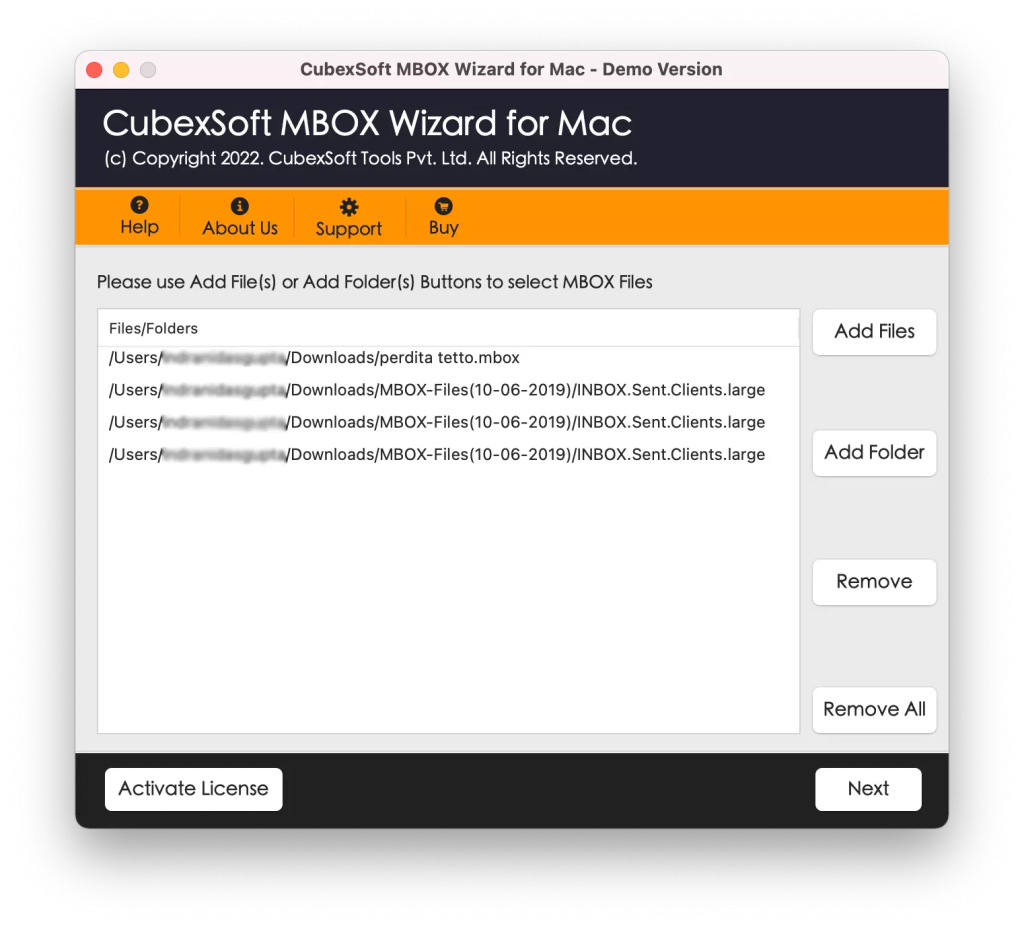
Step 2: Add the MBOX File: Click on the Add Files and Add Folder options for uploading MBOX files.
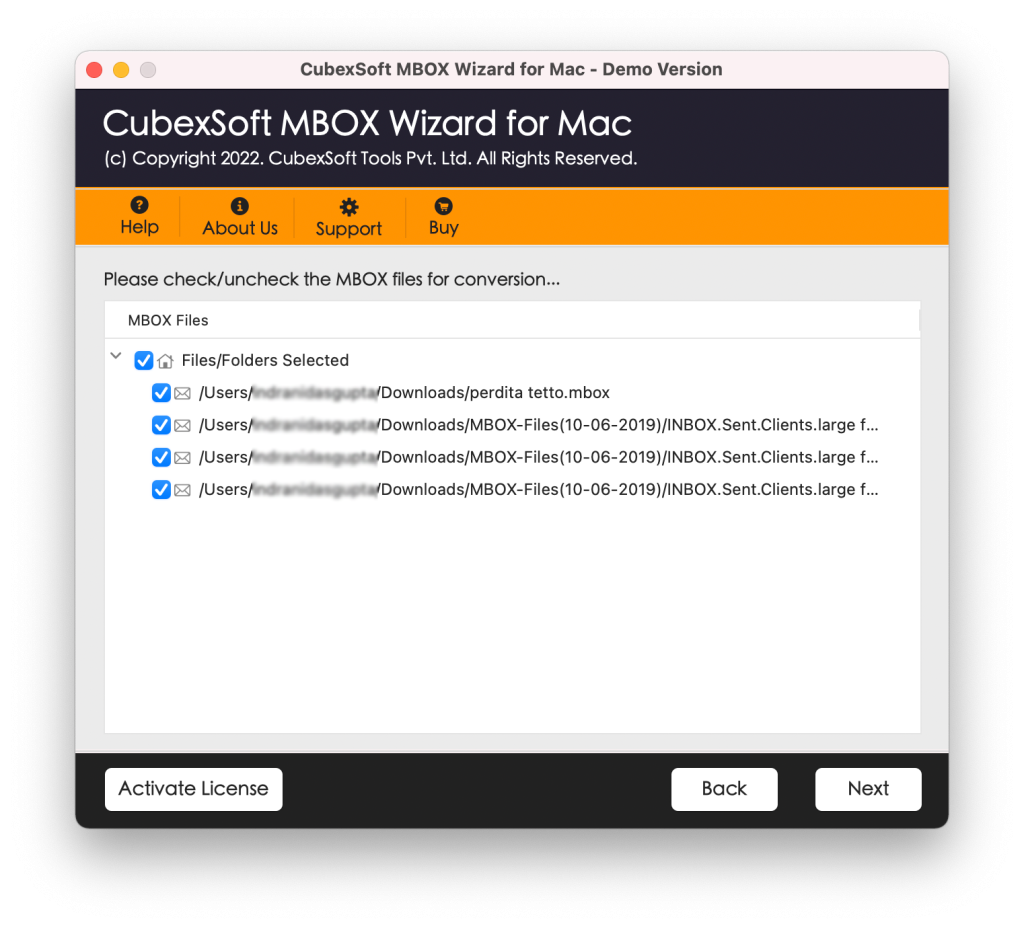
Step 5: Choose CSV as the Output Format: Select CSV from the available output formats.
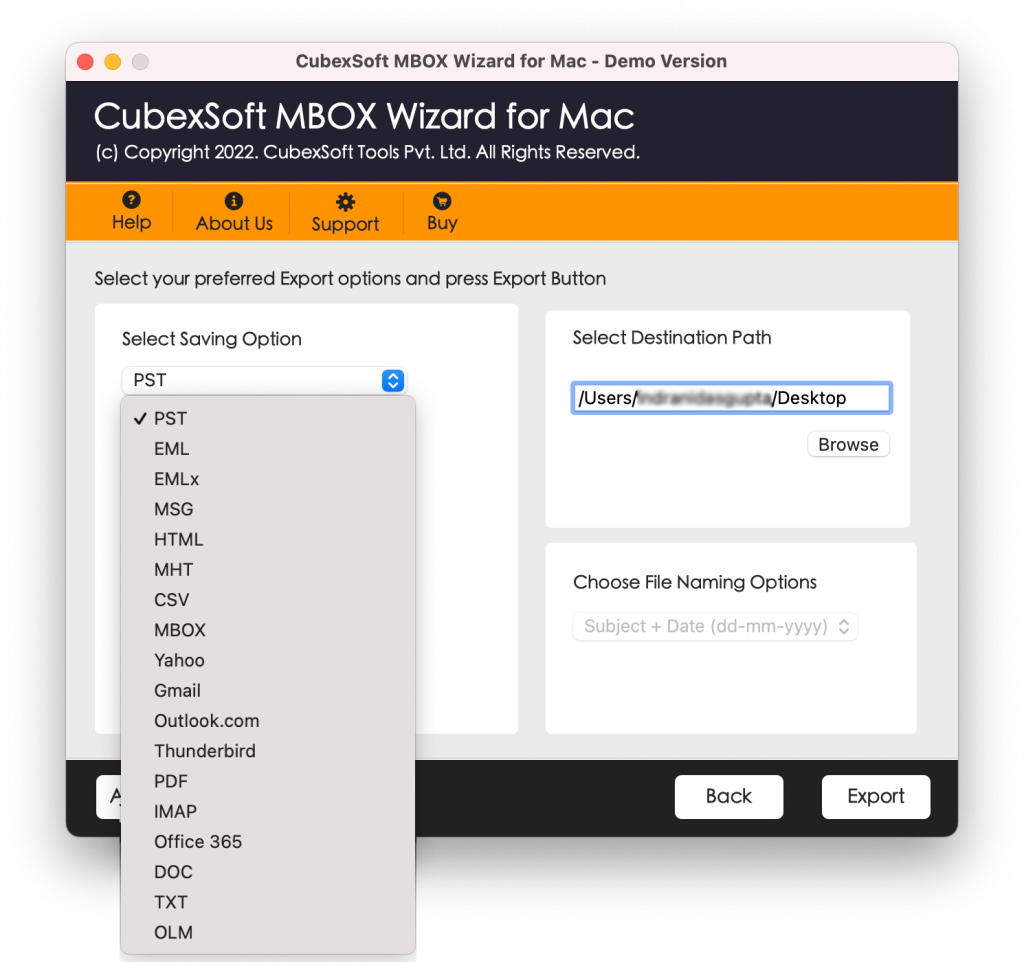
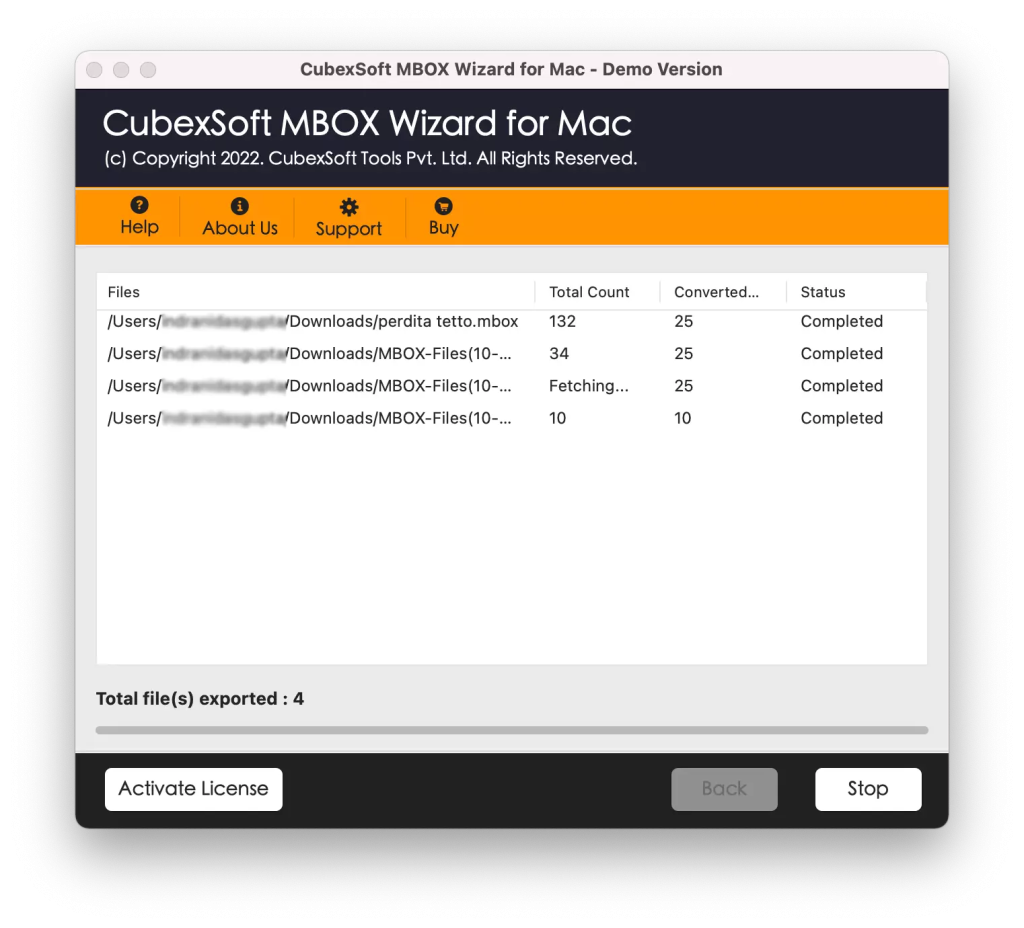
Step 6: Start the Conversion: Click the Export button to begin processing the MBOX file.
Key Features of MBOX to CSV Tool
Convert MBOX Files to CSV: The primary function of the software is to export email information from MBOX files into CSV format. Users can select the required MBOX file and begin the conversion process without manually handling individual emails.
Preserve Important Email Information: During conversion, maintaining important email information is a major consideration. The software is designed to retain available email details such as sender, recipient, subject, date, and message-related information in the resulting CSV file.
Supports Large MBOX Files: Large MBOX files can contain thousands of email messages. The software can process large mailbox files more efficiently than manual extraction methods.
Batch Conversion: If the software supports batch processing, users can select multiple MBOX files for conversion rather than processing each file individually. This can save considerable time when working with multiple mailboxes.
Easy-to-Use Interface: A straightforward interface is useful for both technical and non-technical users. The conversion process can generally be completed by following a few simple steps.
Frequently Asked Questions
Can I convert MBOX to CSV without losing email data?
Yes, the software helps preserve email fields during the export process.
Will the utility support batch conversion?
Answer: Yes, the utility’s batch conversion feature is one of the prominent features, it allows conversion of multiple MBOX emails to CSV files in a single round.
Can I open the converted CSV file in Excel?
Yes. CSV is widely supported by spreadsheet applications such as Microsoft Excel, LibreOffice Calc, and Google Sheets.
Can I convert a large MBOX file to CSV?
Yes, the application can be used to process large MBOX files.
Can I convert multiple MBOX files to CSV?
The application supports batch processing, multiple MBOX files can be selected and converted without processing every file individually.
Wrap Up
Converting MBOX to CSV can make email information easier to organize, analyze, and manage. However, when important email records are involved, users need to pay close attention to data integrity during the conversion process. Using the suggested software provides a practical way to automate the conversion instead of manually copying information from individual emails. To know more, users can opt for a freed demo facility that allows conversion of 25 MBOX emails to CSV files without any charges. The application is Mac OS compatible hence runs on all Mac OS editions such as Monterey, High-Sierra, Catalina, Mojave, Yosemite, Big-Sur, Ventura, and many more.