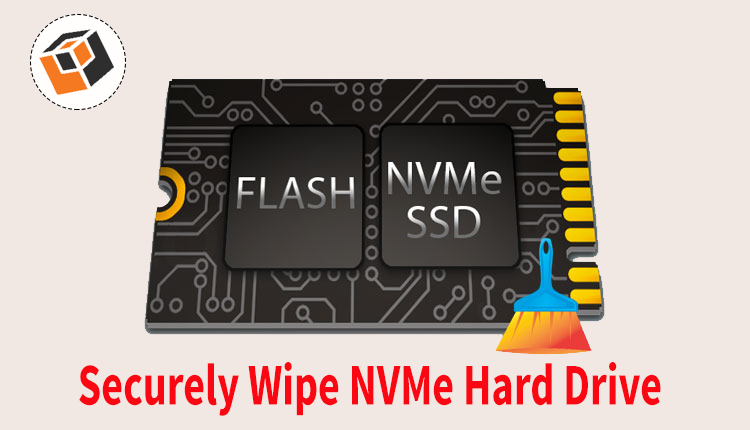
Summary: Looking for a reliable way to wipe an NVMe drive completely? If yes, this guide has you covered. We’ll walk you through the most effective methods and provide clear, step-by-step instructions to help you securely erase your NVMe SSD without any hassle. Let’s get started!
NVMe (Non-Volatile Memory Express) is a high-speed storage interface widely used in modern computers, laptops, and gaming systems due to its exceptional performance and fast data transfer rates. While these drives offer significant advantages in speed and efficiency, securely removing data from them can be more complicated than many users realize.
Many people assume that deleting files or formatting the drive permanently removes their information. In reality, these actions typically only remove references to the data, allowing the original content to remain on the drive until it is overwritten. As a result, sensitive files may still be recoverable with specialized data recovery tools. That’s why using proper NVMe wiping techniques is essential when disposing of, selling, or repurposing your drive.
Why Should You Wipe an NVMe Drive?
Data recovery is not always desirable, especially when sensitive information is involved. If you plan to sell, donate, or repurpose your NVMe drive, simply deleting files is not enough. Without a proper wipe, advanced recovery tools may still retrieve your personal or confidential data. Securely erasing the drive ensures that the information is permanently removed and cannot be accessed by unauthorized users.
Here are some common reasons to wipe an NVMe drive:
1. Before Selling the Drive: When transferring ownership of an NVMe SSD, it is important to erase all stored data completely. A secure wipe helps protect personal documents, financial records, login credentials, and other sensitive information from being recovered by the new owner.
2. Handing the Drive to Another User: Whether you are giving the drive to a family member, colleague, or friend, securely erasing the storage device prevents accidental exposure of private or business-related data and ensures a clean start for the next user.
3. Reusing the Drive for a Different Purpose: Many users wipe NVMe drives before reinstalling an operating system, setting up a gaming library, creating a backup drive, or using the SSD as secondary storage. Starting with a clean drive can help avoid conflicts and improve organization.
4. Eliminating Malware or Security Threats: If the NVMe SSD has been affected by malware, ransomware, or other malicious software, performing a secure erase can help remove infected data and restore the drive to a clean state before reuse.
5. Protecting Privacy and Compliance: Businesses and professionals often erase drives to meet privacy regulations and internal security policies. Secure wiping ensures that confidential customer, employee, or company information cannot be recovered later.
Best Manual Methods to Wipe an NVMe Drive
Traditional data-overwriting techniques are not always the best choice for NVMe SSDs. Repeated overwrite passes can contribute to unnecessary wear on the drive, and some portions of SSD storage may remain inaccessible through conventional methods. Fortunately, modern operating systems and motherboard firmware provide built-in options that allow users to securely erase NVMe drives more effectively.
Below are two commonly used manual methods for securely wiping an NVMe SSD:
Method 1: Use Command Prompt (DiskPart and Format)
Windows includes the DiskPart utility, which allows users to remove partitions and prepare a drive for reuse. By selecting the target NVMe drive and executing the appropriate commands, you can clear existing partition information and storage structures.
Additionally, performing a full format through Disk Management or the Command Prompt triggers the TRIM command. TRIM informs the SSD controller that specific data blocks are no longer required, enabling the drive to clean up unused storage areas and improve data removal efficiency.
Method 2: Use BIOS/UEFI Secure Erase Feature
Many modern motherboards provide a built-in Secure Erase or NVMe Sanitize function within the BIOS/UEFI firmware interface. This method communicates directly with the SSD’s internal controller and firmware.
When executed, the secure erase process instructs the NVMe drive to clear its internal mapping tables and erase stored data at the hardware level. Compared to software-based wiping methods, this approach is typically faster, more reliable, and specifically designed for solid-state drives. In most cases, the process completes within a few seconds and leaves the drive ready for a fresh installation or new user.
Professional Solution to Securely Erase an NVMe Drive
For users who require a complete and reliable method to wipe an NVMe drive, a dedicated data wiping solution can be an effective option. Professional Data Wipe Software is designed to permanently remove sensitive information from storage devices, helping prevent unauthorized access, data leaks, and potential security risks. Such tools offer an intuitive interface and streamlined workflow, making the wiping process simple for both home users and IT professionals. With advanced erasure algorithms, they can securely remove files, folders, partitions, and entire drives while ensuring that the deleted data cannot be recovered using conventional recovery utilities.
In addition to strong security measures, professional wiping software typically delivers fast processing speeds and efficient drive handling, allowing users to erase large amounts of data without compromising performance. This makes it particularly useful when preparing an NVMe SSD for resale, recycling, donation, or redeployment within an organization.
By using a specialized data erasure tool, users can ensure that all information stored on the NVMe drive is permanently destroyed, providing peace of mind that confidential and personal data remains protected even after the drive changes ownership.
Final Thoughts
Securely wiping an NVMe drive is essential when you want to protect sensitive information before selling, donating, recycling, or reusing the storage device. While built-in methods such as DiskPart, formatting, and BIOS/UEFI Secure Erase can help remove data, users who need a more comprehensive and user-friendly approach may benefit from a dedicated data erasure solution.
A professional wiping tool can simplify the process by permanently removing data and reducing the risk of recovery through advanced recovery software. Many solutions also offer trial versions, allowing users to explore their features and evaluate performance before making a purchase decision.
By following the methods discussed in this guide, you can choose the most suitable approach for your requirements and ensure that your NVMe SSD is erased safely and effectively. If you encounter any difficulties during the process, consulting the software vendor’s support resources or technical assistance team can help resolve issues quickly and ensure a smooth experience.