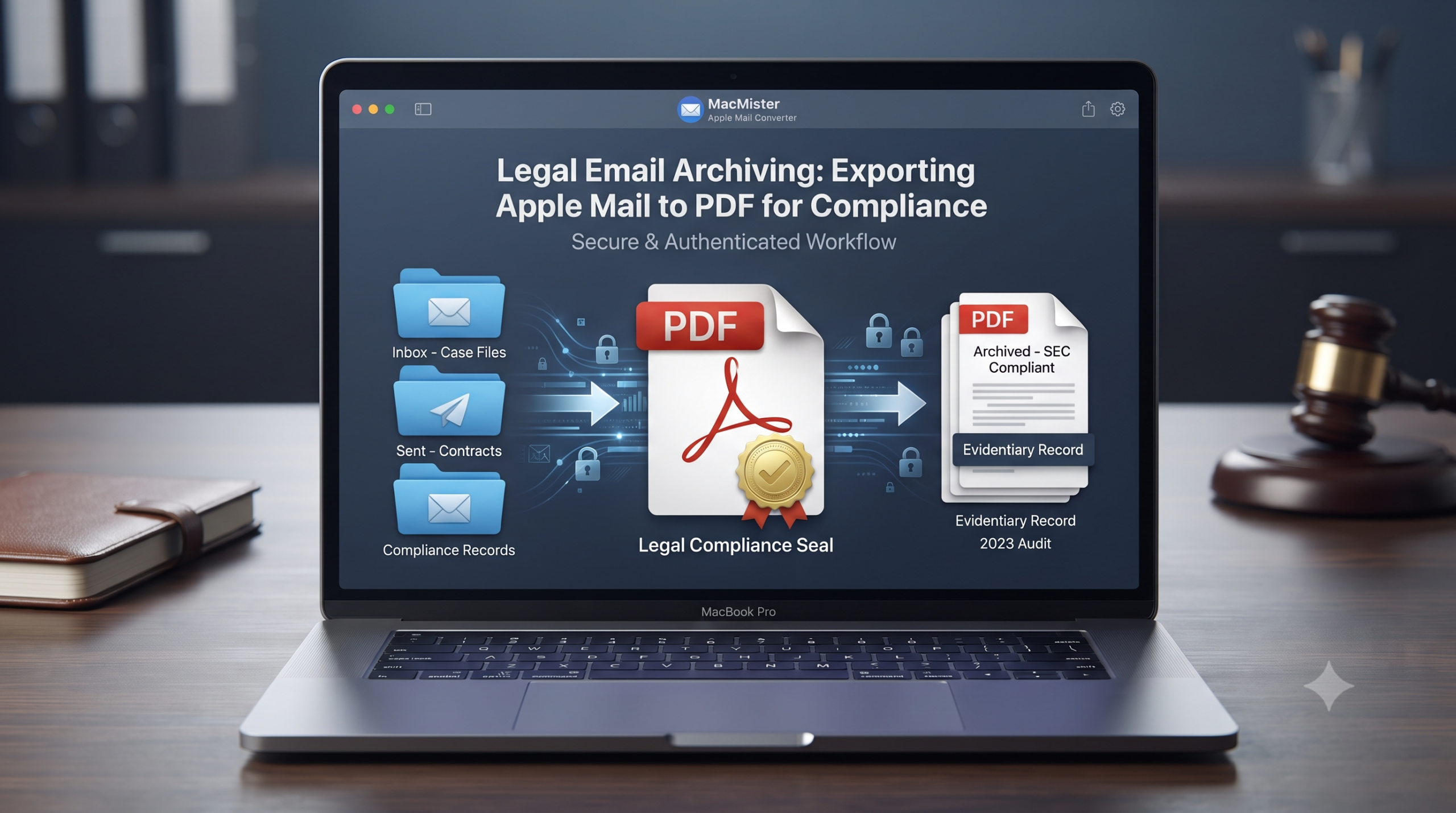
In the contemporary legal, business, and regulatory world, eDiscovery and document compliance have become issues of ultimate concern. For firms and attorneys working in the macOS environment, Apple Mail is used as one of the main instruments for day-to-day correspondence. Yet, keeping emails in active database forms (such as mbox or proprietary container forms) for purposes of legal actions, audits, or compliance archives becomes highly vulnerable to change, accidental deletion, or unavailability if the underlying email client architecture changes.
To create an immutable, admissible in court archive, lawyers and compliance officers tend to convert Apple Mail archives into PDF.
Why PDF is the Gold Standard for Legal Email Archiving?
While dealing with compliance policies such as SEC, FINRA, and HIPAA or creating documents for litigation purposes, the standard e-mail files are not sufficient. Conversion of Apple Mail messages to PDF gives the following legal benefits:
Immutability and Integrity: Unlike live mailboxes that are editable and corruptible, a correctly created PDF file will become a digital trail. It is impossible to alter the content of messages using PDF format.
Universal Readability: PDFs do not need Apple Mail, macOS, or any proprietary e-mail software at all to read them. PDFs can be opened on Windows, Linux, or mobile operating systems and thus are perfect to send to judges, opposing counsel, or outside auditors.
Retention of Metadata and Structured Information: Legal records of professional archives need to have the information about transmission. PDFs can contain the basic metadata – Sender, Recipient, Date/Time, Subject Line, and attached files.
The Challenge of Bulk Legal Archiving on macOS
While there is an inherent “Export to PDF” feature in Apple Mail, it cannot handle the vast amount of company information. Selecting the right emails, going through the drop-down menu, and exporting the thousands of documents manually is a lengthy process and could be done inaccurately. In addition, inherent software features cannot provide assurance that all folders would remain organized and all the huge evidential documents would be exported accurately.
Here automation tools prove to be useful.
Perform Legal Email Archiving: Export Apple Mail to PDF using Professional Tool
In cases where organizations require a robust forensic-grade tool to address large-scale conversion needs, the MacMister Apple Mail Converter is the perfect choice.
Designed specifically for use on macOS, this tailor-made software helps in converting Apple Mail mailboxes to PDF format without changing the layout and details of the document.
Core Benefits for Legal and Compliance Use Cases:
- Effortlessly convert thousands of Apple Mail emails or full directory hierarchies into PDF documents in one go.
- All necessary email headers (To, From, Cc, Bcc, Date, and Time) as well as embedded images and links are preserved.
- Helps protect important contracts or financial documents included in your email from being overlooked during the archiving procedure.
- Your meticulously structured case files, subfolders, and categories remain exactly where they belong after the conversion is done.
Step-by-Step Guide: Archiving Apple Mail to PDF Using MacMister
Executing a secure compliance export using MacMister requires only a few straightforward steps:
Step 1. Run the MacMister Apple Mail Converter utility on your macOS platform and start its intuitive user interface.
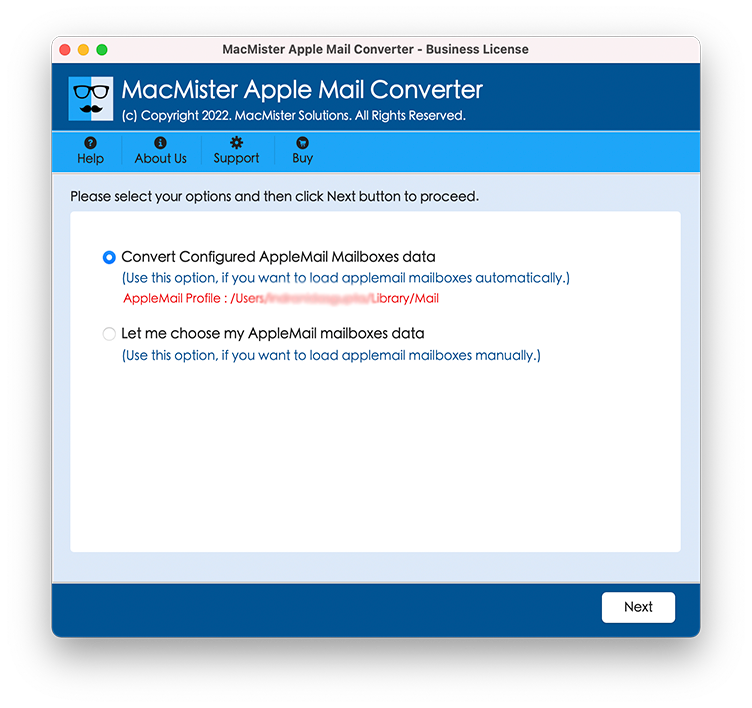
Step 2. Load Apple Mail mailboxes directly using the first option. Or, take help of second option and manually upload its mailboxes saved in .mbox format.
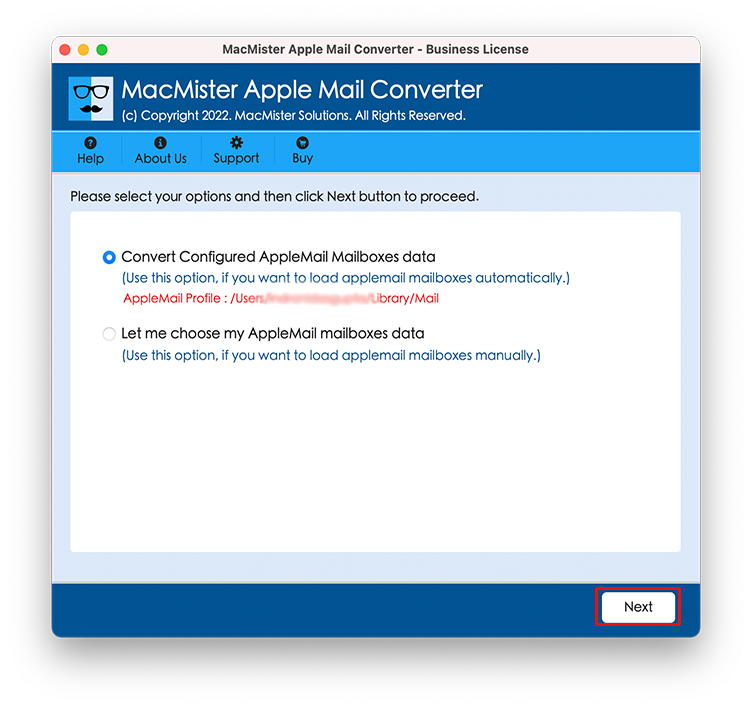
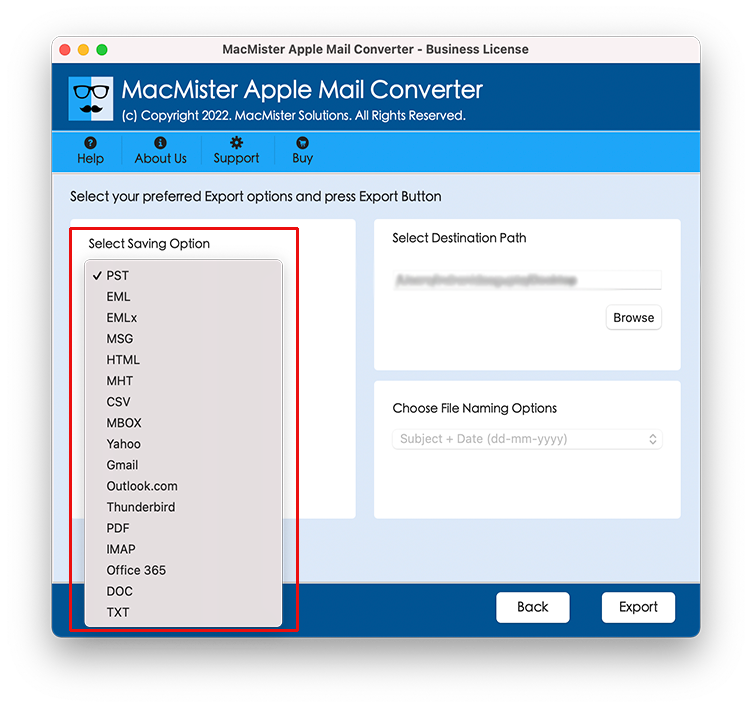
Step 3. Go through the wide range of possible output formats and select PDF (Portable Document Format).
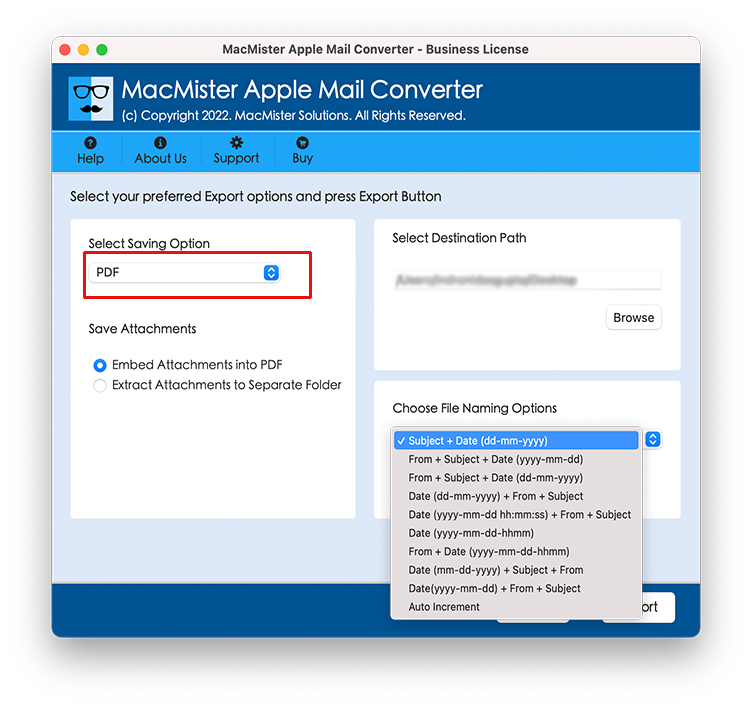
Step 4. Set up naming rules to organize your legal library with ease (Subject, Date, Sender). Specify the target location to which you will save all your PDF files (your Mac hard drive or an external encrypted disk).
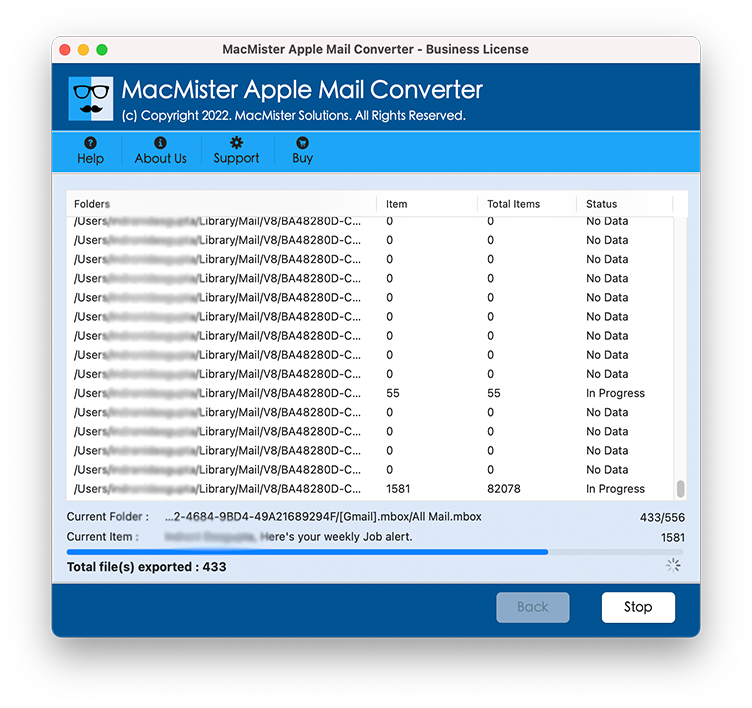
Step 5. Press the Export button and watch the live process in action.
Conclusion
Email archiving is a very important defensive line when it comes to compliance and preparation for potential litigation processes. Depending on either of the options above – storing emails in live email clients folder or exporting individual files manually – creates a lot of vulnerability to data loss and corruption. With the help of an appropriate software such as MacMister Apple Mail Converter, one can easily convert a whole bunch of emails into PDF documents, which is a universal and secure format.