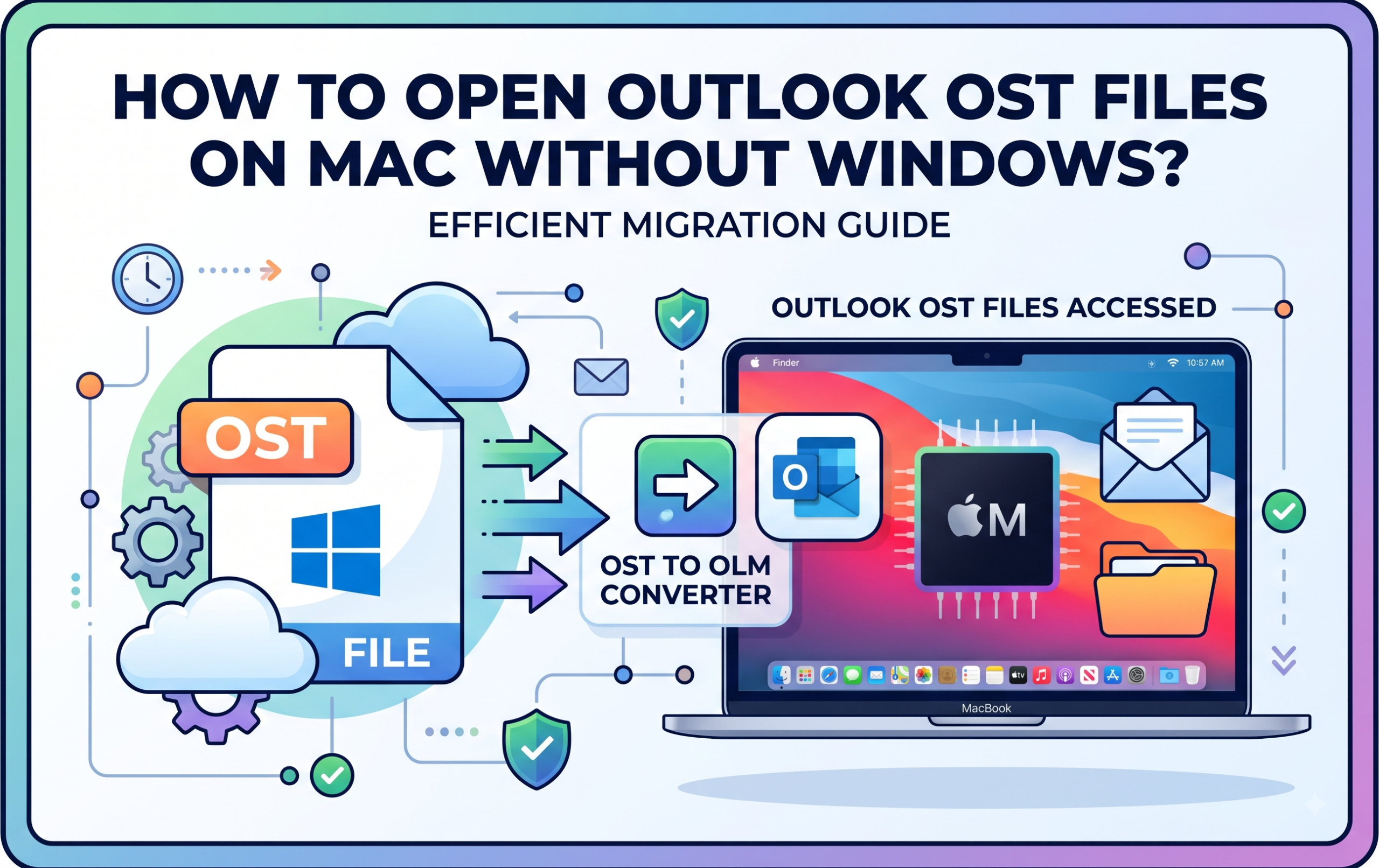
Moving to Mac from a Windows PC is definitely a wonderful switch; however, such a change is usually linked with some technical issues. For example, many people have problems with legacy data that was collected before the migration to Mac. This means that there may be issues with importing Microsoft Outlook data files to the new system.
For instance, if you previously used Outlook for Windows, all your emails, contacts, calendars, and tasks are stored in OST file. In other words, your problem is in the fact that OST files cannot be viewed on macOS versions of Outlook. Moreover, they are tightly connected to the Windows profile and the Exchange server where you had stored them, that means that they cannot be easily viewed even using a regular file explorer.
This situation might appear to be very complicated especially when it comes to finding a way to open OST file without having access to Windows. However, one need not to install Windows on your computer using Bootcamp or run a complicated virtual machine to read your emails.
In the following article, we will discuss the best way to open Outlook OST files on Mac without installing Windows, focusing on the professional utility.
Why Can’t You Open OST Files Directly on macOS?
It will be easier to know the solution once the problem is understood. There are two major types of files that Microsoft Outlook makes use of for storing desktop data on Windows:
- PST (Personal Storage Table) – for POP/IMAP accounts or archive data storage, very portable, and can be easily imported in other systems.
- OST (Offline Storage Table) – for Microsoft Exchange, Office 365 or IMAP accounts, it is used as an offline copy of your mailbox in the server.
As the OST file is encrypted and tied to a particular MAPI profile in Windows OS, the native version of Outlook for Mac will not be able to read it. The Outlook for Mac uses OLM or standard mailboxes. Therefore, to be able to access an OST file in Mac operating system, its conversion or extraction is needed.
Opt for a Professional and Effective Approach
In cases where the integrity of corporate or personal email archives has to be guaranteed, one cannot afford to experiment by trying any workaround manually or use scripts.
The most efficient and reliable solution that will help to get rid of this problem of compatibility wall would be to use MacMister OST Converter for Mac.
This software has been designed to support healthy, orphaned, oversized, or even password-protected OST files in a macOS environment. This application will not require users to use any other operating system like Windows or a live Exchange server. You will be able to convert your OST database to more than 15 different file formats and clients.
Step-by-Step Guide: How to Convert and Open OST Files on Mac
Conversion through MacMister OST Converter for Mac does not require you to be technically savvy. Here are some simple procedures which will help you access your emails in minutes:
Step 1: Get the software from MacMister website, install the software in your Mac computer and run it.
Step 2: The software allows you two ways of selection of your files:
- Add File(s) – This option allows you to choose one or more OST files.
- Add Folder – If you have a folder filled with several OST files, then select this option.
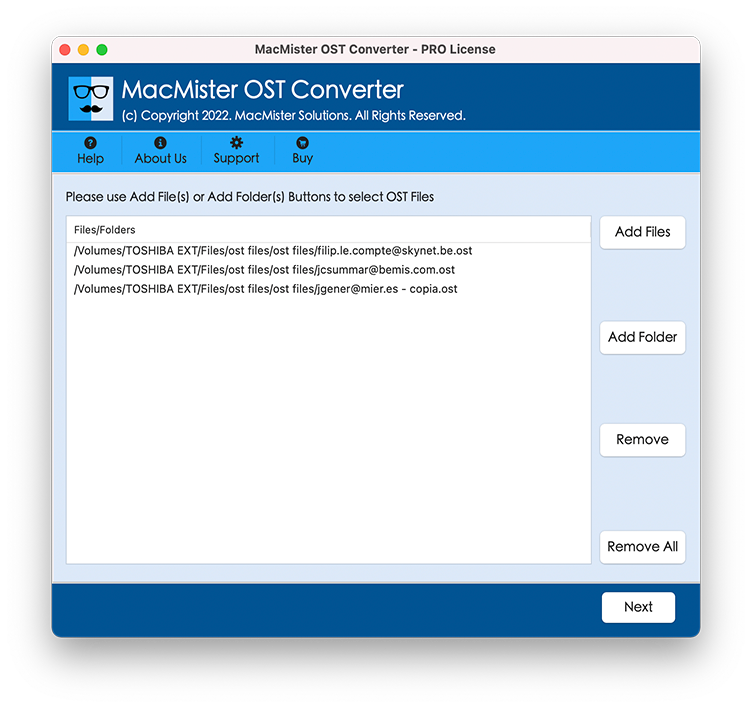
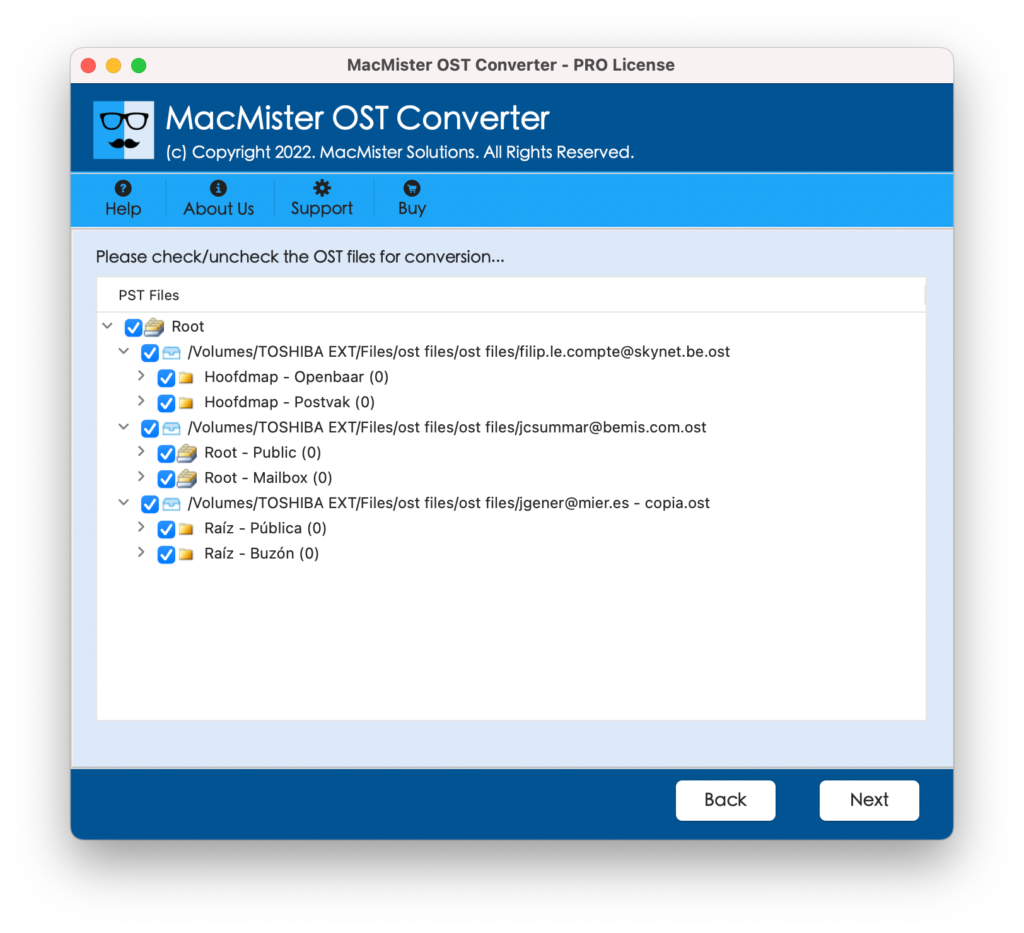
Step 3: After the upload, the program will scan the file and show all the folders available in the file in tree structure. Go through the folders and put ticks against the folders and files that you need to convert.
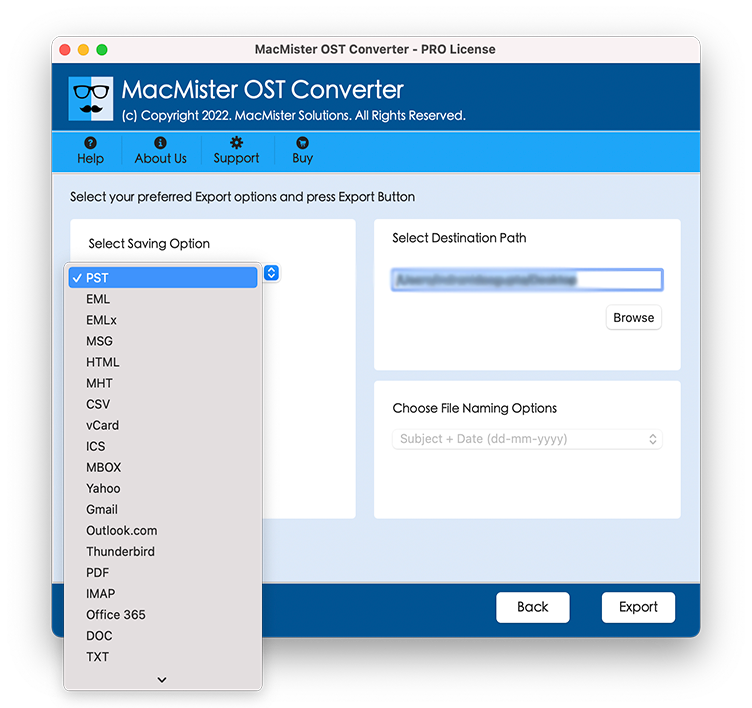
Step 4: Go to Select Saving Option dropdown list. You will have the option to choose your saving format according to your preference as to how you will access or open the data.
- If you need to open readable files on any previewing program of your mac, then choose PDF.
- If you are going to import the mailbox into Apple Mail, Thunderbird or Outlook for Mac, then choose MBOX or PST.
- If you want to extract logs or message archives which can be viewed on web pages, then choose CSV or HTML.
Step 5: Configure sub-options as per the requirement.
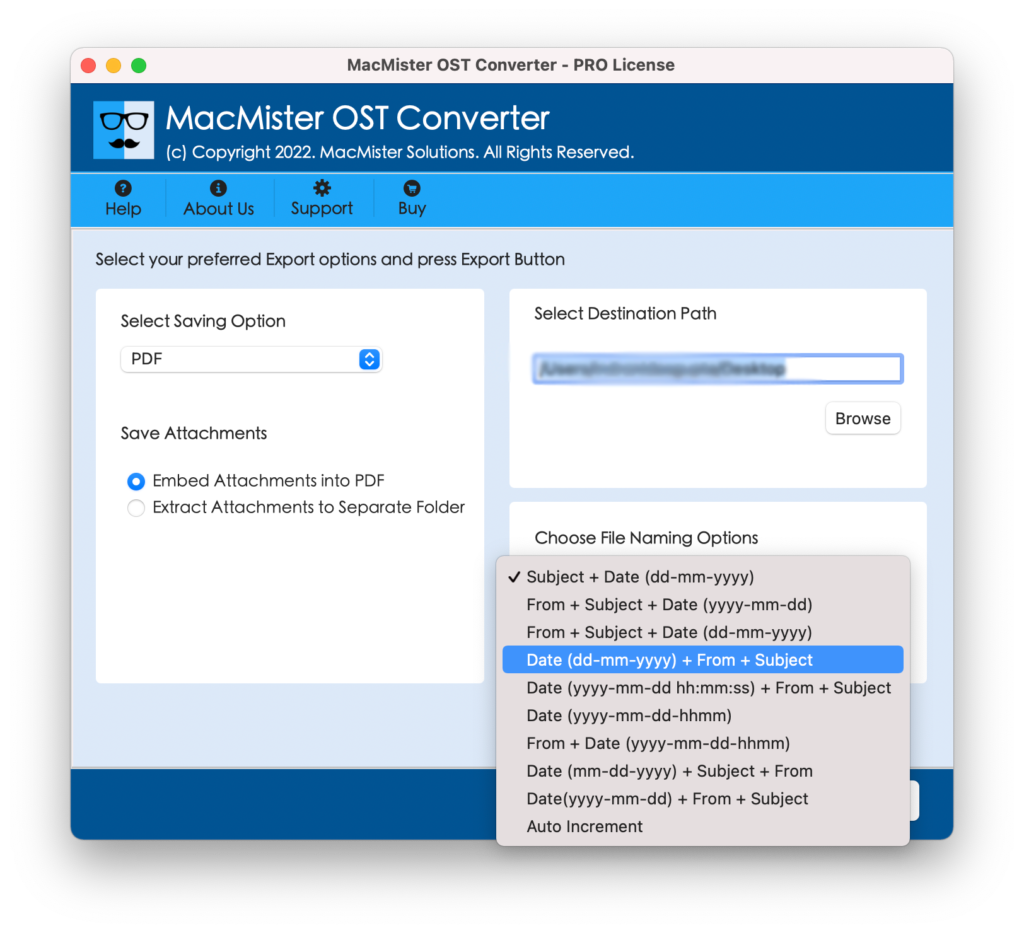
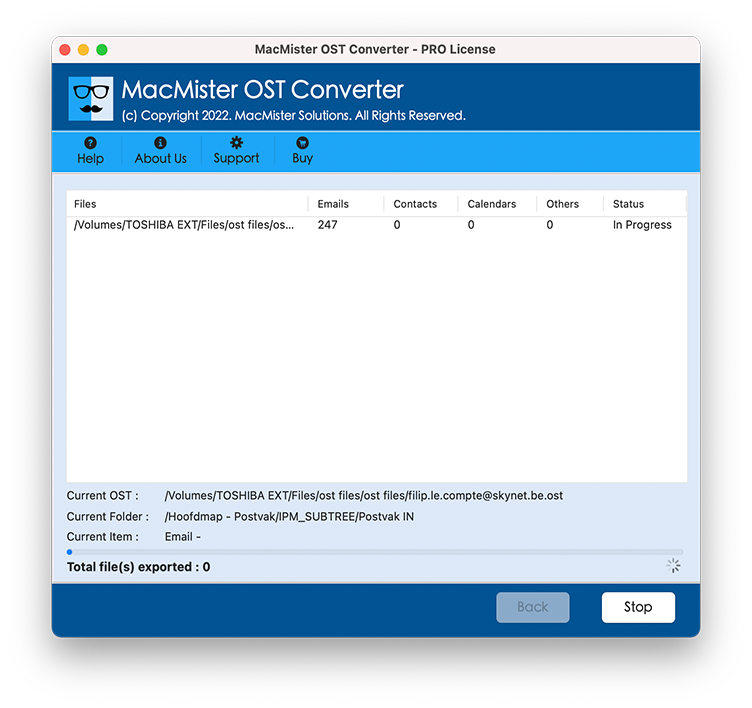
Step 6: Click Export button to start processing. The program will convert the database quickly and notify you when the task is done. Now you can access your old Windows data in your Mac.
Features of the Application:
Various File Formats: Convert your OST emails to PST, MBOX, PDF, EML, MSG, HTML, CSV and many other.
- Upload the entire folder carrying multiple OST files for conversion at once.
- Preserve the original structure of your data (To, Cc, Bcc, Subject, Date and Time stamp).
- Check boxes with loaded files allow users to select certain mailbox folders and export only needed data from there.
- Transfer emails with attached documents, pictures, archives and other attachments.
- Designed to work on any macOS, including modern ones on Apple Silicon (M1/M2/M3/M4) and Intel-based Macs.
Alternative Free/Manual Approaches (And Their Limitations)
If you are searching for any free workaround options, then you will be suggested using some cloud converters on the Internet or configuring some intermediate email client settings. But both have significant disadvantages:
Online OST Converters: There is a tremendous risk associated with uploading sensitive business or personal emails on any web tool. Apart from that, many web-based tools do not work efficiently with OST files.
IMAP Sync Workaround: The problem with this workaround is that you need to set up some intermediate IMAP mail server, configure the OST file in Windows Outlook configuration, sync it with the cloud, and download it onto Mac. This is extremely cumbersome and inefficient process.
Considering all these points, using an efficient utility such as MacMister OST conversion utility proves to be much better option.
Epilogue
Opening a Microsoft OST file on Mac without any help from the Windows system need not be a daunting task. Since Apple systems do not allow the opening of Microsoft proprietary format offline cache files directly, there are certain dedicated software applications that will do the job with ease.
Using MacMister OST data conversion app for Mac, you are in complete charge of your data. The tool guarantees that none of your emails, attachments, or contacts will get lost. Just simply download the software and in no time, you have access to all your essential data on Mac.

