Are you planning to sell your old computer but worried about your personal data? Before giving your device to someone else, you should properly remove all your files as well as private data. How to Erase Computer Hard Drive Before Selling is an important step to protect your documents, passwords, photos, and other sensitive data.
Simply deleting files or formatting your hard drive does not always remove data permanently. Some recovery tools can still restore deleted files if the drive is not properly wiped. A secure erase process helps you wipe computer hard drive before selling and reduces the chances of your personal information being recovered.
In this article, we will explain manual methods to erase a hard drive on Mac and Windows. We will also discuss how a professional data erasure tool can help securely wipe your drive before selling or recycling your computer.
Why Should You Erase Your Hard Drive Before Selling a Computer?
Before selling your computer, your hard drive may contain personal data such as:
- Documents and files
- Photos and videos
- Saved passwords
- Browser history
- Email and account information
Simply deleting files or formatting the drive may not remove data permanently. To protect your privacy, you should securely erase hard drive data before handing over your device.
If you are searching how to clean your hard drive before selling computer, the right method depends on your operating system and storage type.
Manual Methods to Erase Computer Hard Drive Before Selling
Both Windows and Mac offer built-in options to remove personal data before selling your computer. These methods allow you to prepare your device without using any third-party software.
Method 1: How to Wipe a Windows Computer Hard Drive Before Selling
Windows provides a Reset this PC feature that removes files, apps, and settings. You can also enable the clean data option to make old data recovery more difficult.
- Open Settings on your Windows computer.
- Go to System > Recovery.
- Click Reset this PC.
- Select Remove everything.
- Choose Cloud download or Local reinstall.
- Click Change settings.
- Turn on the Clean data option.
- Confirm the settings and start the reset process.
After the reset is completed, Windows will return to the initial setup screen. You can shut down the computer and leave it ready for the new owner.
This method helps you wipe hard drive before selling a Windows PC without manually removing every file.
Method 2: How to Erase a Mac Hard Drive Before Selling
Mac users can use the built-in erase feature to remove personal information before selling their device. The steps depend on whether your Mac has an Apple Silicon chip or an Intel processor.
For Apple Silicon Macs and Newer Intel Macs:
- Open System Settings.
- Go to General > Transfer or Reset.
- Select Erase All Content and Settings.
- Enter your administrator password.
- Follow the guidelines shown on the display.
- Confirm the erase process.
Once the process finishes, your Mac will restart and display the setup screen. You can shut it down before giving it to the buyer.
For Older Intel-Based Macs:
- Turn off your Mac.
- Turn it on and press Command + R until the Apple logo appears.
- Open Disk Utility from macOS Utilities.
- Select your main storage drive.
- Click Erase.
- Choose the required format and erase the drive.
- Reinstall macOS if required.
This method helps remove personal files and prepares your Mac for a new user.
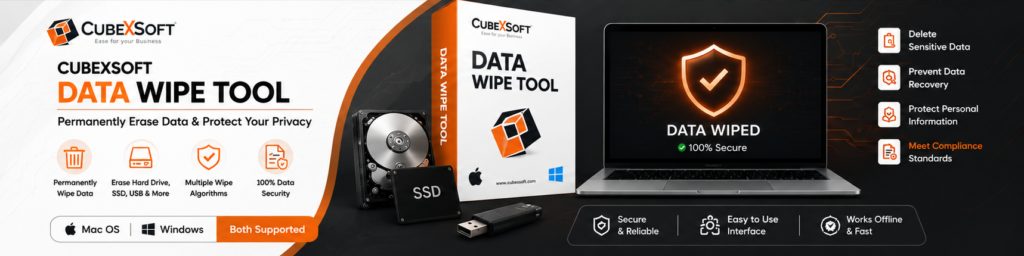
Method 3: Use CubexSoft Data Eraser Tool to Securely Wipe Hard Drive
Manual methods can help remove data from your computer, but they may not always provide advanced wiping options. If you want to permanently erase sensitive information before selling or recycling your device, using a reliable data eraser software can be a better option.
CubexSoft Data Erasure Tool helps securely wipe data from hard drives and storage devices by overwriting existing data, making it difficult for recovery tools to restore deleted files.
This expert program can be beneficial when you need to:
- Permanently wipe hard drive before selling
- Remove personal files beyond normal deletion
- Securely erase HDD or SSD data
- Prepare a computer for resale or reuse
- Protect confidential information from unauthorized access
Steps to Erase Data Using Data Wipe Tool:
Download and install Data Wipe Software on your computer.
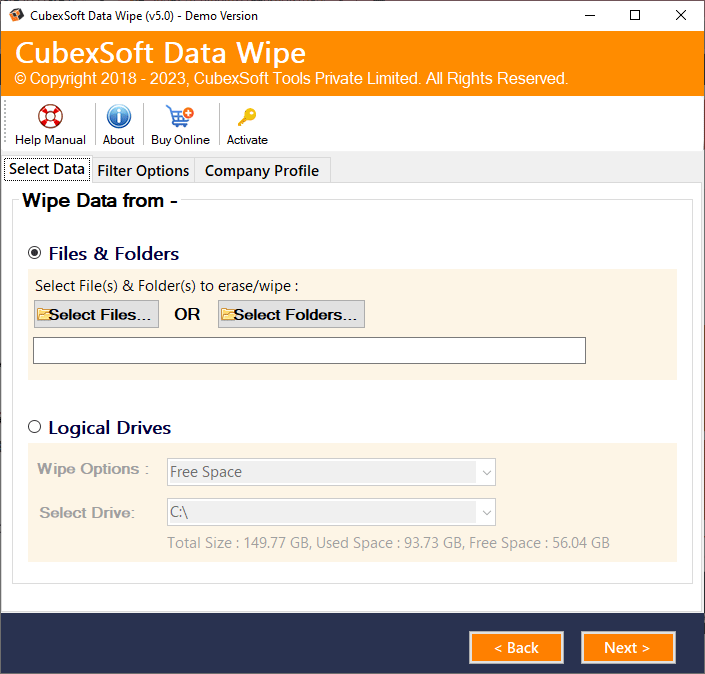
Launch the software and select the drive you want to erase.
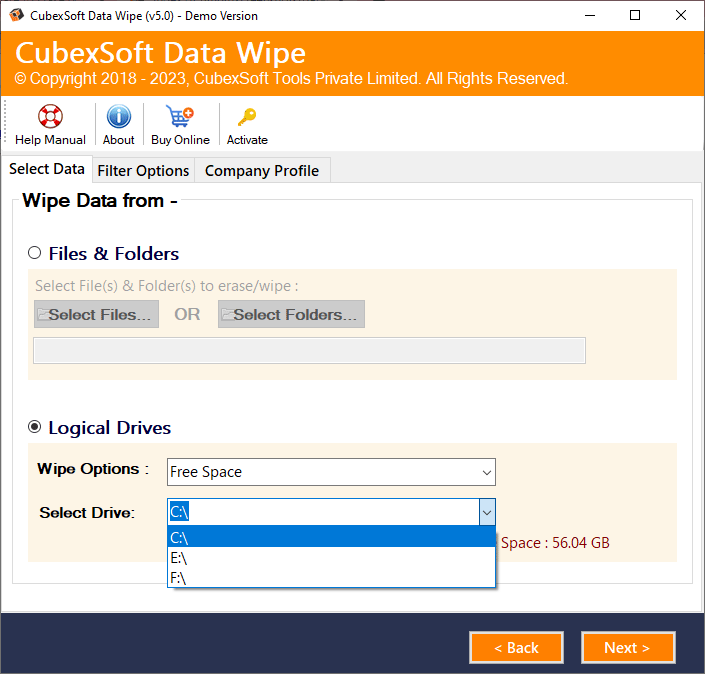
Choose the required erasure method.
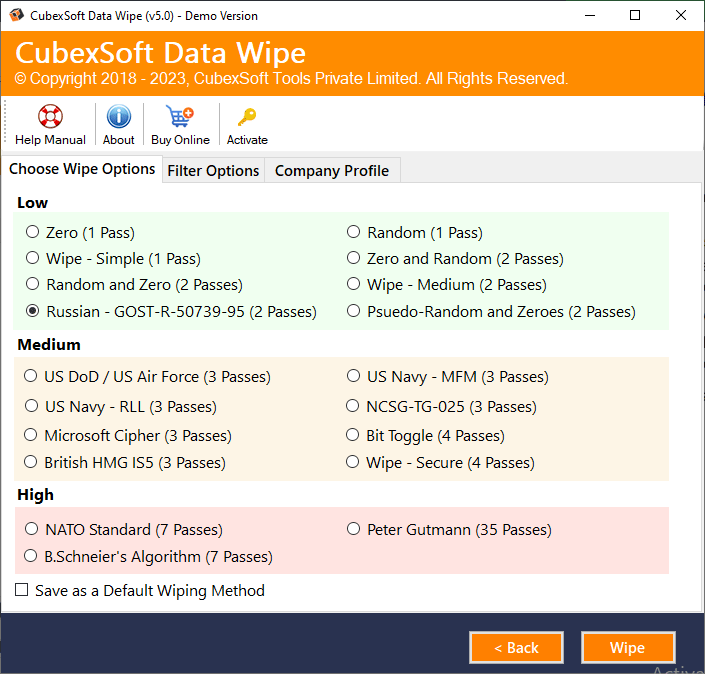
Confirm the selected drive and start the wiping process.
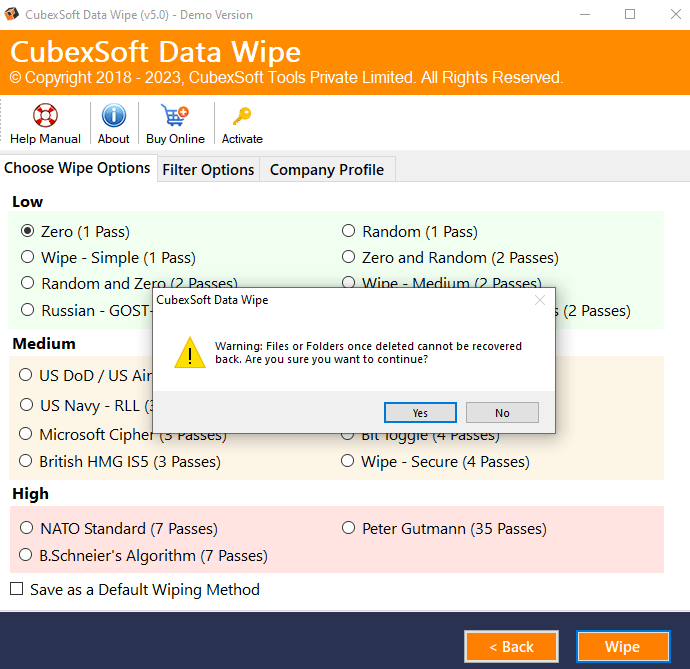
Wait until the eraser procedure is finished successfully.
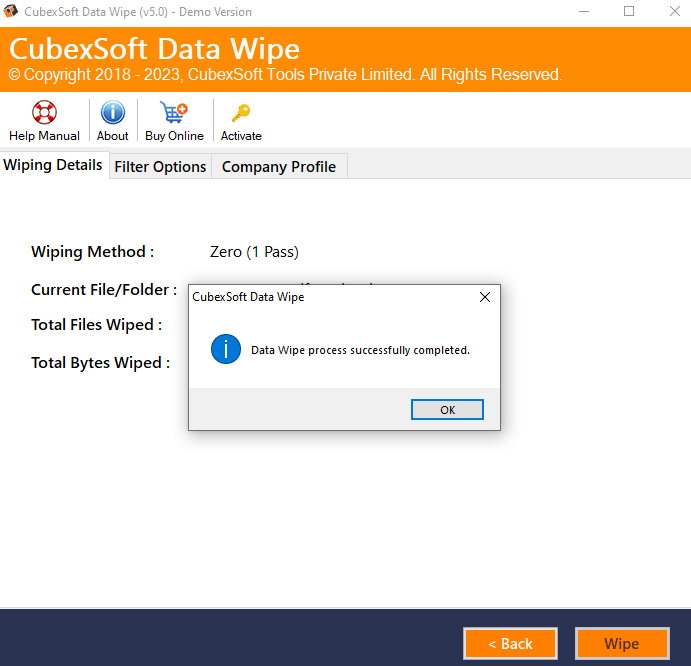
After the erasure process finishes, the selected data will be removed according to the chosen wiping method.
Why Use Professional Data Removal Software Instead of Normal Deletion?
Deleting files normally doesn’t remove the actual data from the local drive. The operating system only removes the file reference, while the data may still be recoverable.
A secure data wipe tool overwrites the storage space, making data recovery much more difficult. If you are searching how do I clean my hard drive before selling my computer, a powerful erasure program can provide a safer way to prepare your device.
Is Formatting a Hard Drive Enough Before Selling?
Many users think formatting is enough before selling a computer, but a normal format may not completely remove stored data.
Some old files can still be recovered until the storage space is overwritten. To erase hard drive permanently before selling, use a secure wiping method.
Frequently Asked Questions (FAQs)
How do I erase my computer hard drive before selling it?
You can erase your hard drive using Windows Reset this PC, Mac’s Erase All Content and Settings option, or a professional data erasure software for a secure wipe.
Is deleting files enough before selling a computer?
No, deleting files does not completely remove data. Some files may still be recovered, so a secure wipe is recommended before selling your device.
How do I clean my hard drive before selling my computer?
You can clean your hard drive by removing accounts, backing up important files, resetting the system, and securely erasing stored data.
How to safely wipe hard drive before selling?
To securely wipe hard drive before selling, use built-in system erase options or a professional data erasure software that overwrites existing data.
Is formatting enough before selling a computer?
No, normal formatting may not permanently remove all data. A secure erase method is better for protecting personal information.
Last Thoughts
Before selling your computer, removing personal data should be your priority. Simply deleting files is not enough because sensitive information may still remain on the drive.
By using manual methods for Windows and Mac or a certified data wiping software, you can securely wipe your hard drive and prepare your device for a new owner.
Taking proper steps before selling your computer helps protect your privacy and keeps your personal information safe.

