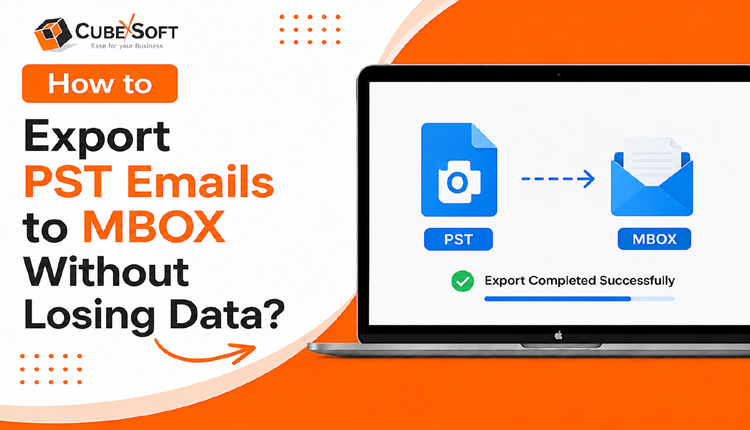
In this blog, we will discuss PST files and MBOX files in more detail, and explain the purpose and functionality of PST to MBOX Converter, a software application designed to convert PST files to MBOX format.
If you use Microsoft Outlook as your primary email client, you may be familiar with PST files. Outlook stores email messages, contacts, calendar entries, tasks, and other data in Outlook PST files. While PST files are useful for local storage of email messages, they do have a size limit that can cause performance issues and data corruption if the file becomes too large. Additionally, if you want to switch to a different email client that doesn’t support PST files, you may need to convert your PST files to a different format, such as MBOX. MBOX is a widely used file format for storing email messages and is supported by many email clients and servers, including Mozilla Thunderbird, Apple Mail, and many Unix-based email servers. In this blog, we will discuss PST files and MBOX files in more detail, and explain the purpose and functionality of CubexSoft PST to MBOX Converter, a software application designed to convert PST files to MBOX format. We will also provide step-by-step instructions on how to use the software and highlight its key features
PST file
PST (Personal Storage Table) is a file format used by Microsoft Outlook to store email messages, contacts, calendar items, tasks, and other data. PST files are created and used by Outlook as a local storage mechanism for emails and other data when using the software in standalone mode, as opposed to using it in conjunction with an email server that stores data remotely.
PST files can be used to backup Outlook data, to move data between computers, or to archive old data that is no longer needed on the mail server. PST files are typically saved on the user’s local hard drive, and can be password protected for added security.
It is important to note that PST files have a size limit, which can cause performance issues and data corruption if the file becomes too large. Outlook 2010 and later versions use the newer OST (Offline Storage Table) file format, which is designed to handle larger amounts of data and is more resilient to corruption.
MBOX file
The file format MBOX is used to store communication via email. It is a widely used format, supported by many email clients and servers, including Mozilla Thunderbird, Apple Mail, and many Unix-based email servers.
All email messages are included in a single file called an MBOX file, with a unique delimiter between each message. This makes it easy to transfer email messages between email clients, and to backup or archive email messages.
MBOX files can be created by a variety of email clients and servers, and can be used on a variety of platforms, including Windows, Mac, and Linux. They are typically stored in a plain text format, which means they can be opened and read using a text editor.
It is important to note that MBOX files can become very large over time, especially if they contain many email messages with large attachments. This can cause performance issues and can make it difficult to backup or transfer the file. Some email clients and servers use other file formats, such as PST or EML, to address these issues.
MBOX file format is widely supported by many popular email clients, including:
- Mozilla Thunderbird – an open-source email client that supports MBOX as its default storage format.
- Apple Mail – the default email client on mac OS, which uses MBOX as its default storage format.
- Microsoft Outlook – while Outlook doesn’t use MBOX as its default storage format, it does have the ability to import messages from MBOX files.
- Eudora – a legacy email client that uses MBOX as its default storage format.
- Opera Mail – a free email client that uses MBOX as its default storage format.
- Pegasus Mail – a powerful email client that supports MBOX as well as other formats.
- Sea Monkey – an open-source internet suite that includes an email client with MBOX support.
- Evolution – a popular email client for Linux systems that supports MBOX as well as other formats.
- Claws Mail – a lightweight email client for Windows and Linux that supports MBOX as well as other formats.
These are just a few examples of email clients that support MBOX file format. There are many other email clients and servers that also support MBOX, making it a versatile and widely used format for storing email messages.
A full explanation of the purpose and functionality of PST to MBOX Converter?
Bulk PST to Email Clients of MBOX file Migrate software application that is designed to convert PST files to MBOX format. While the software can convert PST files to MBOX format, it does not determine which email clients the resulting MBOX file can be imported into.
The MBOX format is widely supported by many email clients, including Mozilla Thunderbird, Apple Mail, and many Unix-based email servers. However, it’s important to note that some email clients may have specific requirements for MBOX files, such as the naming convention of the file or the location of the file.
Therefore, while Convert from PST to MBOX can convert PST files to MBOX format, it’s important to ensure that the resulting MBOX file is compatible with the email client you’re planning to use it with. You may need to consult the documentation or support resources for your specific email client to determine the requirements for importing MBOX files.
This software is easy to support all email clients of MBOX file format without any data loss. This software is comparable to Mac and Windows OS versions. Supports all versions of the MS Outlook versions such as 2021, 2019, 2016, 2013, 2010, 2007, and 2003.
Here are the steps to Migrate Outlook PST to MBOX file: –
- Download and install the PST Converter Software on your computer.
- Launch the software and Select the PST file and Click on Add Files Button.
- See the Preview of the PST file.
- Hit on the Export button to choose MBOX format as saving option.
- Select the location where you want to save the MBOX file and click the Browse button.
- To begin the converting process, click the “Convert” button.
- Start the conversion process and wait for the software to convert the PST file to MBOX format. The duration of the conversion process may vary depending on the size of the PST file.
- Once the conversion is complete, you should have an MBOX file containing the converted data from the PST file.
Here are some of its key features of convert PST files to MBOX format:
- User-friendly interface: The software has an intuitive and easy-to-use interface that allows users to easily navigate and operate the software.
- Bulk conversion: The software can convert multiple PST files to MBOX format in one go, saving time and effort for users.
- Selective conversion: Users can choose to convert specific folders or items within a PST file to MBOX format, rather than converting the entire file.
- Preserves data integrity: The software ensures that all data, including emails, attachments, and other metadata, is converted to MBOX format without any loss or corruption.
- Supports all versions of MS Outlook: The software is compatible with all versions of MS Outlook, including 2021, 2019, 2016, 2013, 2010, 2007, and 2003.
- Compatible with Mac and Windows OS: The software can be used on both Mac and Windows operating systems.
- No requirement of additional software: The software does not require any additional software or plugins to be installed for its operation.
- Safe and secure: The software is safe and secure to use and does not compromise the privacy or security of user data.
- Free trial version: The software offers a free trial version that allows users to evaluate its features and functionality before purchasing the full version.
- 24/7 customer support: The software comes with 24/7 customer support to assist users with any issues or queries they may have during the conversion process.
Overall, Move PST to MBOX file is an efficient and smart tool for converting PST files to MBOX format, with a range of features that make it easy to use and customizable to users’ needs.
In conclusion
PST and MBOX are two file formats used for storing email messages and other data. While PST files are used by Microsoft Outlook, MBOX files are supported by many email clients and servers. PST to MBOX Converter for Mac & Windows is a software application that can convert PST files to MBOX format, but it’s important to ensure that the resulting MBOX file is compatible with the email client you plan to use it with. The software offers a range of features, including a user-friendly interface, bulk and selective conversion options, and support for all versions of MS Outlook. It also comes with a free trial version and 24/7 customer support. Overall, PST to MBOX file is a reliable and efficient tool for converting PST files to MBOX format, making it easier to move, and archive email messages and other data.