Selling an old laptop, desktop, or other storage device can be a convenient way to recover some of its value. However, simply deleting your files or performing a basic reset does not always provide sufficient protection for sensitive information. Personal documents, photos, saved credentials, browsing records, and other private data may remain recoverable from a storage drive.
Before handing a device over to another person, it is therefore important to take proper steps to remove the information stored on it. Secure data erasure is designed to make existing data difficult or impossible to recover by overwriting the storage media according to an appropriate erasure method.
This guide explains why securely wiping a second-hand device matters, what to consider before selling it, and how a dedicated data-wiping solution such as CubexSoft Data Wipe Software can help simplify the process.
Why Should You Erase Data Before Selling a Device?
Deleting individual files is not the same as securely removing them from a storage device. In many cases, deleted files may remain on the drive until their underlying storage space is overwritten.
There are several reasons to perform a proper data wipe before reselling or donating a device:
- Protect personal information: Old documents, photographs, financial records, and other private files should not be left accessible to the next owner.
- Remove saved account information: Browsers and applications may contain saved usernames, passwords, cookies, and other account-related information.
- Prevent recovery of deleted files: Standard deletion methods may leave recoverable traces of previously stored information.
- Prepare devices for resale: A properly wiped drive gives the new owner a clean starting point without your old files.
- Safeguard business information: Devices previously used for work may contain confidential documents, customer information, or company data.
- Reduce privacy risks: Secure erasure helps minimize the possibility of someone recovering information after the device changes ownership.
Things to Do Before Wiping the Device
A data wipe is generally irreversible, so preparation is essential. Before starting the process, make sure you have copied anything you still need to another secure location.
You should also sign out of important accounts, deactivate software licenses where required, and verify that your backup contains all necessary files. After checking the backup, identify the correct storage drive or partition that needs to be erased.
Once you are certain that no required information remains on the device, you can proceed with the secure erasure process.
Professional Solution: CubexSoft Data Wipe Software
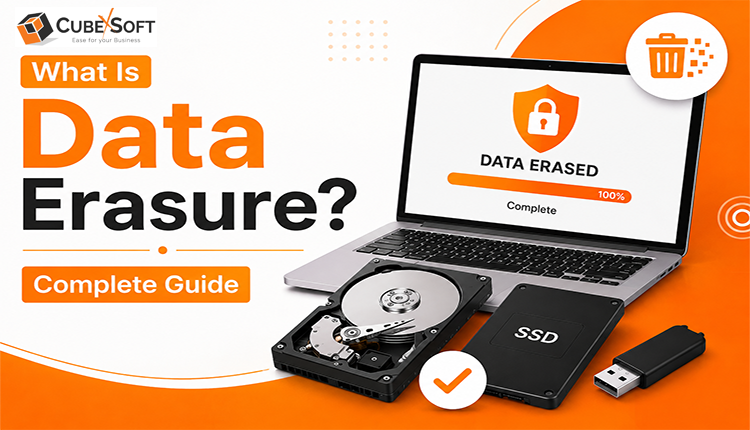
For users who want a dedicated solution for securely removing information from storage devices, CubexSoft Data Wipe Tool can be used to perform data-erasure tasks. Instead of relying only on normal file deletion, a dedicated wiping application is designed to overwrite existing data according to the selected erasure method.
The software can be useful when preparing computers or storage media for resale, donation, recycling, or reuse. It provides a centralized interface where users can select the required drive and apply an available wiping method.
When choosing an erasure tool, users should select a method appropriate for the type of storage device and their security requirements. It is also important to verify the result after wiping and retain any available erasure report or confirmation when documentation is required.
Key Features of CubexSoft Data Wipe Tool
Some of the features that can make a dedicated data-wiping solution useful include:
- Secure Data Erasure: The software is designed to permanently remove stored information through data-overwriting techniques rather than relying on ordinary file deletion.
- Multiple Erasure Methods: Users can choose from available wiping standards or methods according to their requirements and the type of storage media being erased.
- Drive and Partition Wiping: The application can provide options for wiping selected storage areas, helping users choose exactly what needs to be erased.
- Simple User Interface: A straightforward interface can make the wiping process easier for users who do not have advanced technical knowledge.
- Protection Against Data Recovery: Proper overwriting can significantly reduce the possibility of recovering previously stored information with conventional recovery utilities.
- Suitable for Device Reuse: After securely wiping a drive, the device can be prepared for another user, resale, donation, or disposal.
- Verification and Reporting: Where supported, verification or reporting features can help users confirm that the selected erasure operation has been completed.
- Useful for Personal and Professional Data: A dedicated wiping process can be applied when removing personal information as well as organizational data from retired equipment.
Conclusion
Before selling, donating, or disposing of a second-hand device, taking care of the data stored on it should be an important part of the process. Simply deleting files or formatting a drive may not provide the level of protection required when sensitive information is involved.
A proper data-erasure method can help reduce the risk of recovering old files and give you greater confidence when transferring ownership of a device. Tools such as CubexSoft Data Wipe provide a dedicated way to wipe storage media and prepare it for its next use.
Most importantly, always create and verify a backup before starting an erasure operation. Once securely wiped, the original data may no longer be recoverable, so careful preparation is essential.