Switching from the use of a PC with the Windows operating system to Mac computer involves some problems associated with migration of information. The Microsoft Outlook application under Windows operating system keeps all the data in one folder (Personal Storage Table – PST) associated with each mailbox, namely emails, attachments, calendar appointments, contacts, journal entries, etc.
However, email programs for Mac OS X like Apple Mail, Thunderbird, Mac Outlook do not have the possibility to import emails in the format of PST immediately. In case if your Outlook mailbox has already been migrated from the Windows-based machine to Mac OS, migration of all those emails will be a rather difficult task.
Below you can find the guidance on how to perform this operation in the most efficient way.
Windows PST File Export Problem on macOS Explained
If you want to move your email data out of Windows Outlook, then you will receive a .pst file as a result. This file type is highly proprietary to the Microsoft environment. Mac OS is built on different architectures; thus, you cannot open the PST file on macOS simply by double-clicking it to see your archived messages.
Moreover, using the manual approach to solve this problem will lead you to even more problems because such solutions are highly inefficient, error-prone, susceptible to timeouts, network intensive, and cannot process big enterprise archives which can be several gigabytes in size.
Thus, you have to use specialized software which will do all the needed conversions locally.
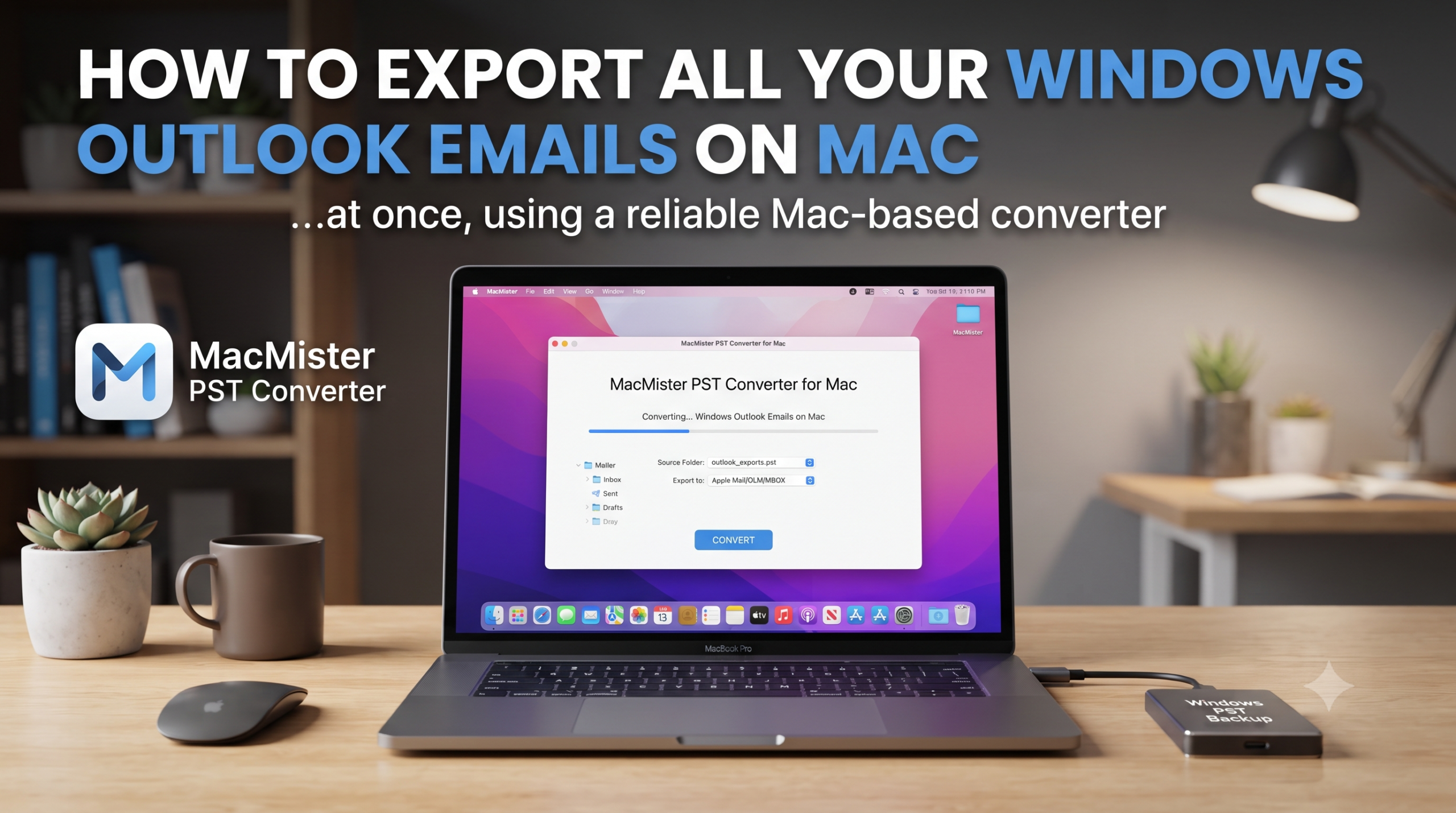
How to Export all your Windows Outlook Emails on Mac at once using Professional Approach?
MacMister PST Converter for Mac is undoubtedly one of the best choices when one wants quick, secure, and efficient migration. This software is created specifically for macOS and enables you to import Windows Outlook PST files and convert them into universal format or even email client format in seconds.
Key Advantages of Using MacMister PST Converter:
- Upload single PST file or an entire folder comprising of several files to convert them all in one go with incredible speed.
- The software ensures that all your exact folder structure, sub-folders and category tags are preserved entirely.
- All important email elements including To, Cc, Bcc, Subject, Date and embedded images are protected fully.
- It is not necessary for you to have Microsoft Outlook installed in your Mac system to read or convert the files.
- Apart from converting, it offers more than 15+ saving formats (including MBOX, EML, PDF, MSG and also cloud IMAP upload).
Step-by-Step Guide: Exporting Windows Outlook Emails on Mac
Perform these easy steps to transfer your whole outlook data file from Windows onto your Mac system by using MacMister PST Converter:
Step 1. Transfer your .pst file from your old Windows machine to Mac via external USB flash drive, external hard drive, or cloud storage.
Step 2. Install MacMister PST Converter software on your mac operating system that is fully optimized for Apple Silicon M-series and Intel processors.
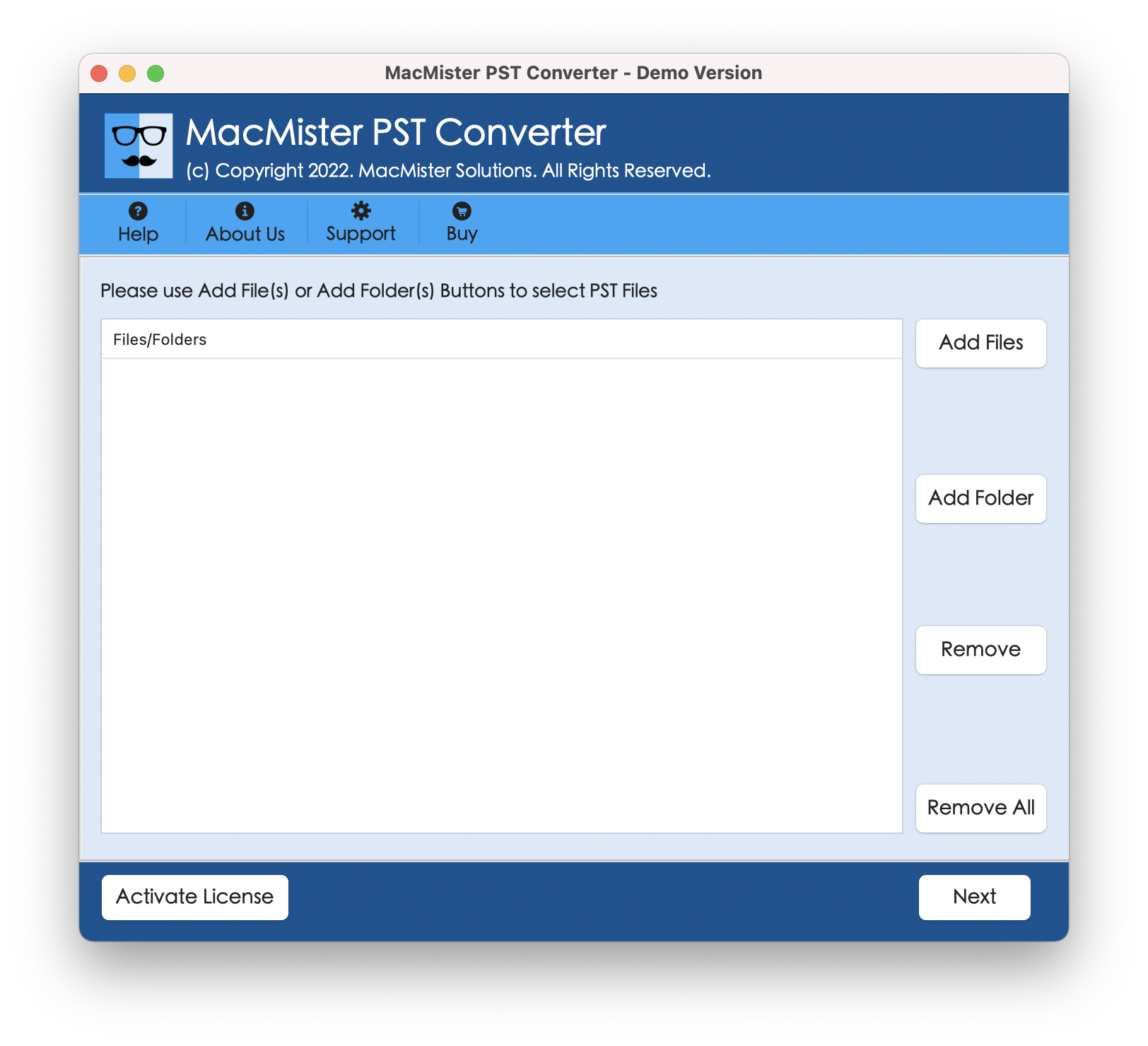
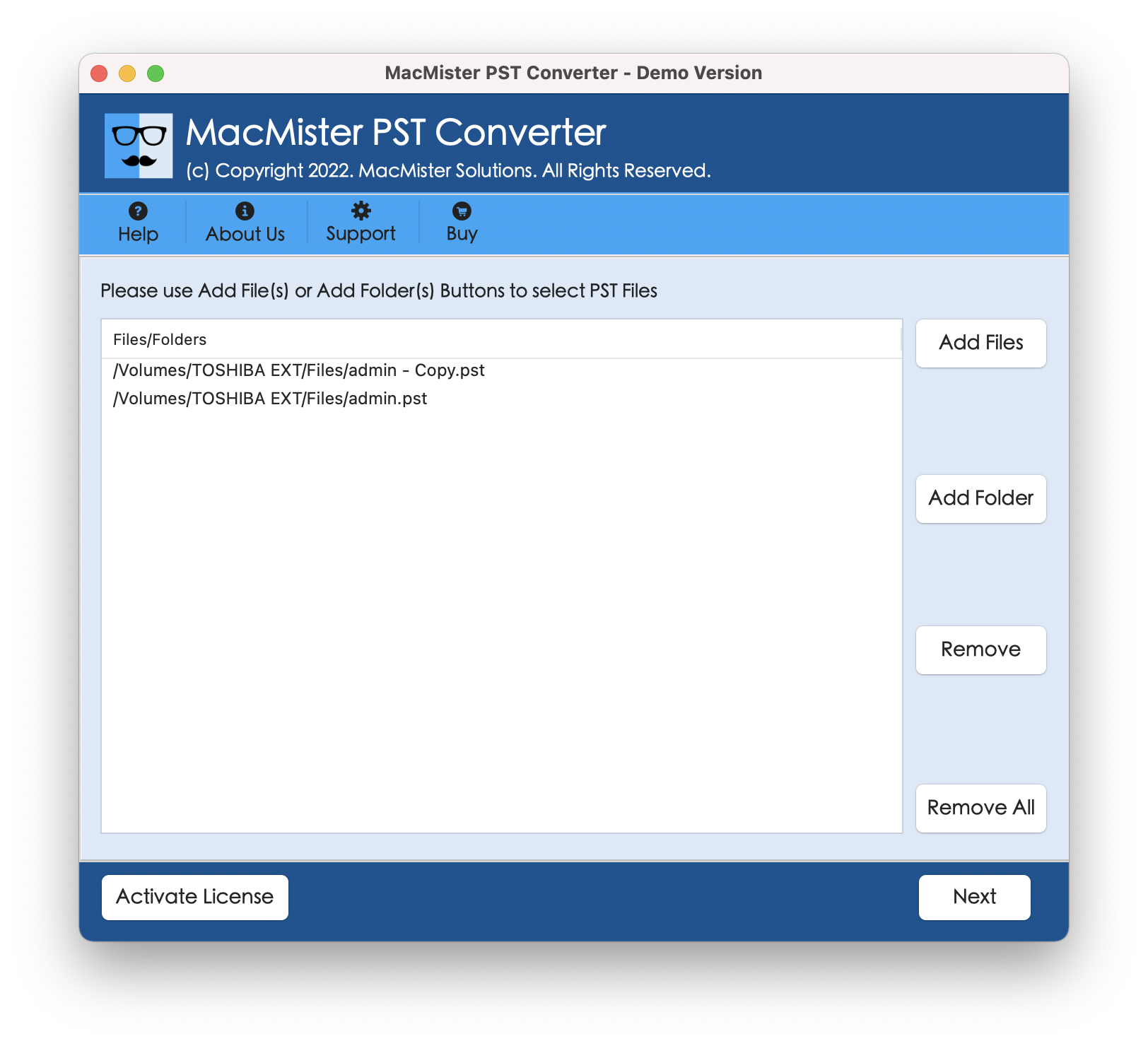
Step 3: Import the Outlook PST Files
- Press on Add File(s) button for selecting particular PST files or use Add Folder(s) option for importing whole batch folder of Outlook archive files together.
- Software provides complete preview tree of your mail box items for reviewing emails and attachments before conversion process.
Step 4: Access the Select Saving Option menu. Depending on your preferred workflow, you can choose any one of the following saving options:
- MBOX/EML if you want to transfer your emails to Apple Mail, Thunderbird, and Entourage.
- PDF format if you need a long-term and searchable legal archive.
- IMAP Migration if you want to push your emails directly into an active cloud mailbox.
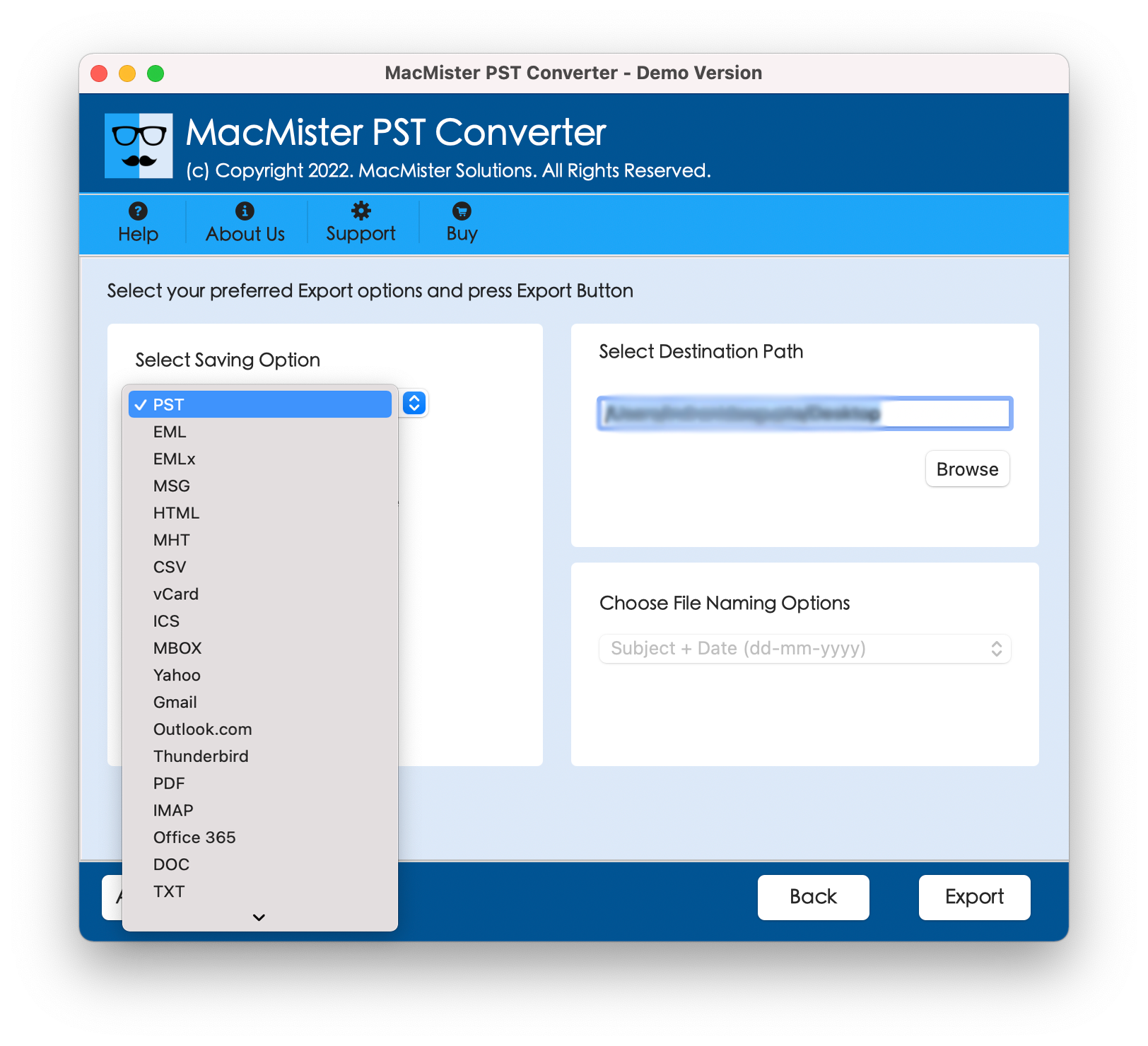
Step 5: Select the folder of your choice on the Mac hard drive where you wish the output files to be saved. Utilize other options as well at the same time.
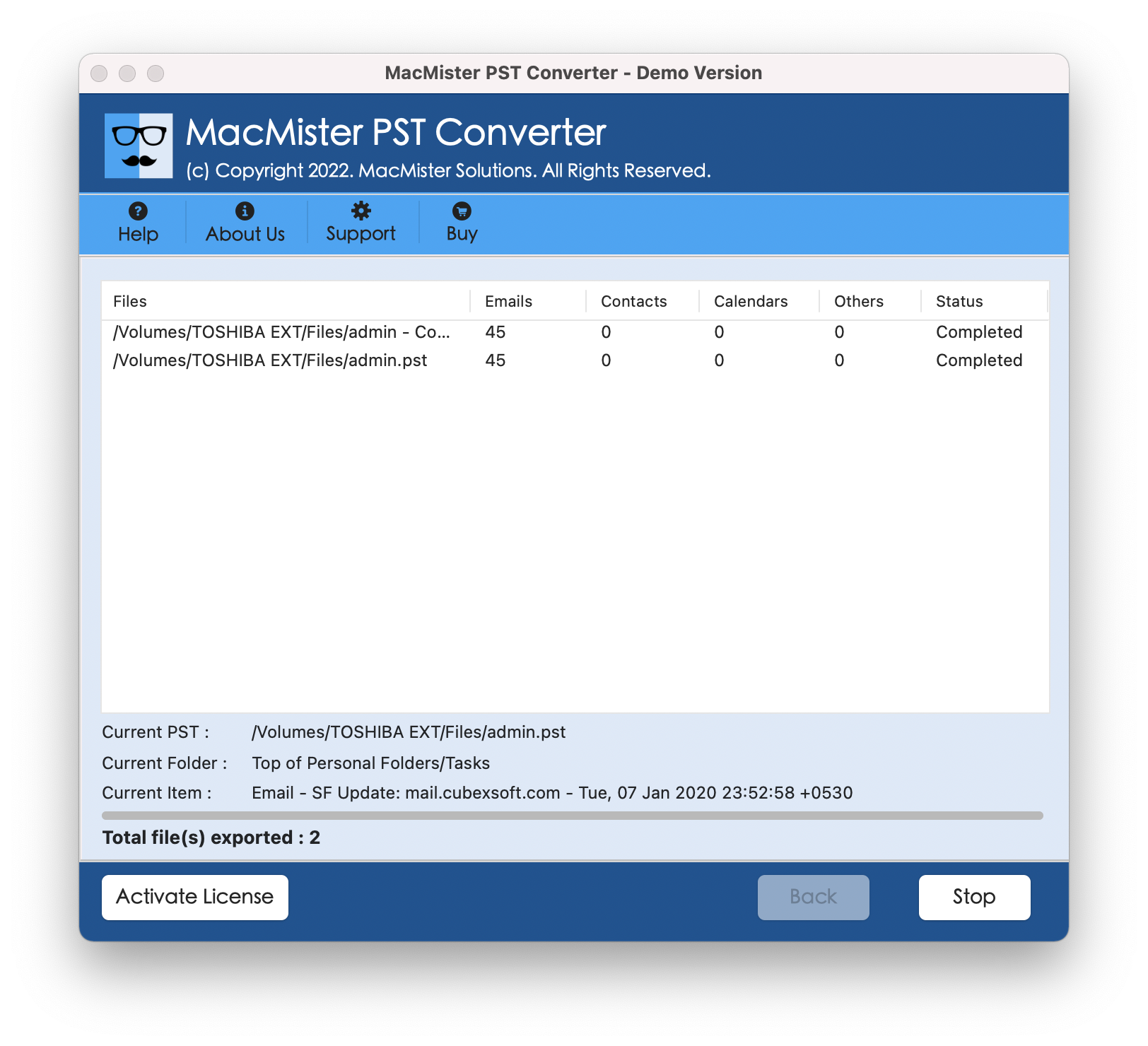
Step 6: Click on the Export button to start the speedy conversion procedure. When done, you will get a message confirming the completion of the task.
Conclusion
Migrating years of critical communication from Windows Outlook to a Mac doesn’t have to be a frustrating chore. While native macOS systems lack built-in tools to natively open Windows PST databases, specialized applications bridge this gap effortlessly. By leveraging a dedicated utility like MacMister PST Converter, you can safely batch-process your archives, preserve your folder layouts, and keep your email history fully accessible on your Mac in a matter of minutes.