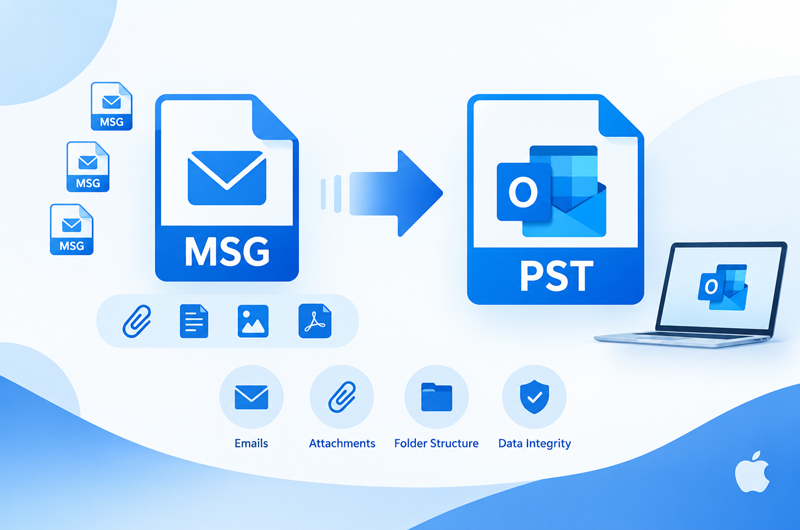
This guide explains how to convert MSG files with attachments to PST on Mac & Windows, by manual method and how the smart MSG to PST converter can simplify the process without any issue.
MSG files are commonly used to store individual Outlook email messages along with their associated information, such as attachments, sender and recipient details, subject, date, formatting, and other message properties. When a large number of MSG files need to be managed in Outlook, converting them into a PST file can provide a more centralized way to organize and access the email data.
For Mac users, the process can become challenging when MSG files contain important attachments or when hundreds of messages need to be converted together. A suitable MSG to PST conversion method should maintain the original email content and preserve attachments as part of the resulting PST file.
Overview of MSG to PST Conversion with Attachments
MSG is an individual Outlook message file, while PST is an Outlook data file designed to store multiple email items and related mailbox data. When converting MSG files to PST, the objective is generally to combine multiple individual messages into a structured Outlook data file.
Attachments are an important part of this process. An email may contain documents, images, spreadsheets, PDFs, or other files that users need to access later. If the conversion method does not properly process attachments, the resulting PST may not contain complete email information. Therefore, users should consider the following factors before starting an MSG to PST conversion –
- Number of MSG files that need to be converted
- Presence of attachments in the source emails
- Existing folder organization
- Email headers and message properties
- Original email formatting
- Size of the MSG collection
- Availability of Microsoft Outlook on the Mac
For a small number of MSG files, a manual approach may be sufficient. However, larger collections usually require a more systematic conversion method.
Why Convert MSG Files to PST on Mac?
There are several reasons why users may need to convert MSG files into PST format.
- Centralized Email Storage – MSG files store individual emails separately. Converting them to PST allows multiple messages to be maintained inside a single Outlook data file instead of managing numerous individual files.
- Easier Outlook Management – PST is commonly associated with Outlook data management. A PST file can provide a more convenient way to organize and access a collection of converted email messages.
- Preserve Important Attachments – Many MSG files contain business documents, invoices, reports, images, or other attachments. During conversion, users generally want these attachments to remain associated with their respective emails.
- Handle Large MSG Collections – Manually opening and transferring hundreds or thousands of MSG files can become difficult. Converting them in bulk can make the overall process more manageable.
- Maintain Email Information – Apart from attachments, email messages may contain headers, subject information, sender and recipient details, dates, formatting, and hyperlinks. A reliable conversion process should aim to retain the relevant email properties.
Manual Method to Convert MSG Files to PST on Mac
The manual approach generally involves using an email application that can work with the required email formats and Outlook data.
- First, collect the MSG files that need to be transferred and organize them into appropriate folders.
- Then, open or import the MSG messages using a compatible email application where possible.
- Configure the required Outlook account or data file and transfer the messages into the destination mailbox or PST structure.
- After transferring the messages, check the resulting Outlook data and manually verify several emails with attachments.
- Open the attachments to confirm that the email content and associated files are available.
This approach may work for a small number of messages, but it becomes difficult to manage when the MSG collection is large.
Limitations of the Manual Method
- Time-consuming – Processing individual MSG files can take considerable time.
- Limited for bulk conversion – Large collections are difficult to handle manually.
- Attachment checking – Each converted email may need to be checked separately for attachments.
- Folder management – Maintaining the original folder organization can require additional manual effort.
- Outlook dependency – The process may depend on the availability and capabilities of compatible Outlook or email applications.
- Higher risk of omission – Manually transferring many messages can result in accidentally missing files or folders.
Smart Solution to Convert MSG Files to PST Outlook for Mac & Windows
For users handling a large collection of MSG files, a dedicated conversion utility can provide a more structured approach. MacMister MSG to PST for Mac Tool is designed to convert MSG files into PST format without requiring users to process every message individually.
The tool can be useful when MSG files contain attachments and other important email information. Instead of manually opening and transferring each message, users can add the required MSG files or folders and perform the conversion in a more organized manner. The software is particularly suitable for users who need to process multiple MSG files and want the converted data to remain available in a consolidated PST file.
Why Choose the MSG to PST Converter for Mac & Windows
- Converts individual MSG files into PST format on Mac & Windows.
- Supports conversion of multiple MSG files in a single process.
- Allows users to add MSG files or complete folders for conversion.
- Maintains email content and associated attachments during conversion.
- Preserves important email properties such as sender, recipient, subject, and date.
- Helps retain the original formatting of email messages.
- Provides a straightforward interface for technical and non-technical users.
- Suitable for handling large collections of MSG files.
- Creates PST output that can be used for Outlook data management.
FAQs
Q. Can I convert MSG files containing attachments to PST on Mac?
Ans. Yes. MSG files containing attachments can be converted to PST using a suitable MSG to PST conversion method. The resulting PST should be checked to confirm that the attachments are available with their respective emails.
Q. Will attachments remain with the converted emails?
Ans. A properly designed conversion process should retain email attachments and associate them with the corresponding messages. It is recommended to verify sample emails after conversion.
Q. Can multiple MSG files be converted into one PST?
Ans. Yes. A dedicated MSG to PST converter can process multiple MSG files and consolidate them into a PST file, which is useful for larger collections.
Q. Can I convert an entire folder of MSG files?
Ans. Yes, a folder-based conversion option can be useful when MSG files are already organized into different folders. This avoids adding every individual message separately.
Q. Is the manual method suitable for thousands of MSG files?
Ans. The manual approach can become impractical for thousands of files because each message may require individual handling and verification. An automated solution is generally more convenient for large-scale conversion.
Q. Does MSG to PST conversion also transfer email formatting?
Ans. A suitable conversion tool is designed to retain the original email content and formatting as much as possible. Users should always verify important messages after conversion.
Q. How can I verify attachments after MSG to PST conversion?
Ans. Open the resulting PST in a compatible Outlook environment and check several converted messages containing different types of attachments. This helps confirm that the email content and attachments have been transferred correctly.
Conclusion
Converting MSG files with attachments to PST on Mac can be useful when individual Outlook messages need to be consolidated into a single Outlook data file. While a manual approach may work for a small number of emails, processing large collections can require significant time and effort.
For bulk MSG collections, the dedicated MSG Converter for Mac tool can simplify the conversion workflow by allowing multiple MSG files or folders to be processed together. Users can then verify the resulting PST and confirm that important emails, attachments, and other message information are available as expected.