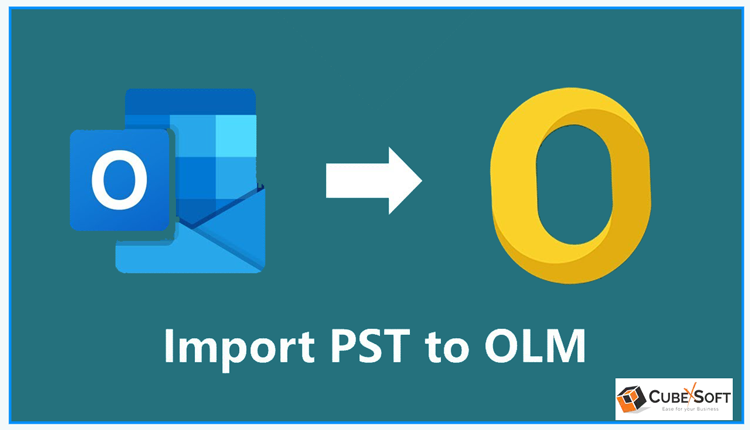
Are you finding a solution on how do I import Outlook into OLM Mac operating system, then don’t worry? Here we will provide you an automated solution to effortlessly convert PST file to OLM file format on Mac systems within a few simple steps. In this article, we will explain why users need to convert PST file to OLM on mac and complete introduction to PST and OLM file formats.
Introduction: Outlook PST and OLM Format
A PST file (Personal Storage Table) and an OLM file (Outlook for Mac Data File) are both file formats used by Microsoft Outlook to store and manage email messages, contacts, calendar entries, and other data.
PST File: PST files are used by Microsoft Outlook on Windows systems. They store all the Outlook data including emails, contacts, calendar entries, tasks, notes, and more. PST files are typically created and used by Microsoft Outlook versions up to Outlook 2019. These files can be password-protected to ensure data security. PST files can be exported, imported, or backed up to transfer data between Outlook installations or to create backups of Outlook data.
OLM File: OLM files, on the other hand, are used by Microsoft Outlook for Mac. They serve a similar purpose to PST files but are specific to the Mac version of Outlook. OLM files store email messages, contacts, calendar entries, and other Outlook data in a single file. This file format is used by Outlook for Mac 2011 and later versions. OLM files can also be password-protected for added security.
Both PST and OLM files are proprietary file formats created by Microsoft for their Outlook email client. They enable users to store and manage their Outlook data in a convenient and portable manner. However, it’s important to note that PST files are not compatible with Outlook for Mac, and OLM files cannot be directly opened in the Windows version of Outlook. Conversion or migration tools may be required to transfer data between these file formats or between different operating systems.
Reasons to Convert PST File to OLM Mac
Converting PST files to OLM format on a Mac can be beneficial in several situations. Here are some reasons why you might want to convert PST to OLM:
- Migrating from Windows to Mac: If you previously used Outlook on a Windows system and have PST files containing your email, contacts, and other Outlook data, converting them to OLM format allows you to import that data into Outlook for Mac. This is especially useful when switching from a Windows computer to a Mac and wanting to retain your Outlook data.
- Compatibility with Outlook for Mac: PST files are not compatible with Outlook for Mac. By converting PST files to OLM, you ensure that your Outlook data can be seamlessly imported into Outlook for Mac without any compatibility issues. This allows you to access and manage your email, contacts, and other data using the native Mac version of Outlook.
- Mac-Specific Features: Outlook for Mac offers some features and functionalities that are specific to the Mac platform. By converting PST files to OLM and using Outlook for Mac, you can take advantage of these Mac-specific features, such as integration with macOS features, improved performance, and better synchronization with other Mac applications.
- Consolidating Outlook Data: If you have Outlook data scattered across multiple PST files, converting them to OLM format allows you to consolidate all your Outlook data into a single OLM file. This simplifies data management and makes it easier to search, backup, and restore your Outlook data on a Mac.
- Data Backup and Archiving: Converting PST files to OLM format provides an additional backup and archiving option for your Outlook data on a Mac. OLM files can be easily stored, transferred, and backed up, allowing you to safeguard your important emails, contacts, and other Outlook data.
Import Outlook into OLM Mac with CubexSoft PST to OLM Converter Tool
Converting PST files to OLM format is a process that allows you to transfer your Outlook data from a Windows system to Outlook for Mac. This conversion is necessary because PST files are not compatible with Outlook for Mac, which uses the OLM file format. By converting the PST files to OLM, you can retain your email messages, contacts, calendar entries, and other data and seamlessly access and manage them on your Mac.
To perform the conversion, you can use third-party software tools specifically designed for PST to OLM conversion, such as CubexSoft PST to OLM Converter. These tools offer features like batch conversion, selective conversion, preview options, and support for large PST files. They aim to maintain the integrity and structure of the data during the conversion process.
Here are some features commonly offered by PST to OLM conversion tools like CubexSoft PST to OLM Converter:
- Batch Conversion: Convert multiple PST files to OLM format simultaneously, saving time and effort.
- Selective Conversion: Choose specific folders or items within the PST file to convert, allowing you to filter and convert only the necessary data.
- Preview Option: View the contents of PST files before conversion, including emails, contacts, calendar events, etc. This feature helps ensure the accuracy and quality of the data being converted.
- Maintaining Data Integrity: The conversion process helps to retain the original structure, formatting, and properties of the data during the conversion from PST to OLM format. This ensures that the converted OLM files closely resemble the original PST files.
- Support for Large PST Files: Efficiently handle large-sized PST files without compromising the conversion process. This feature ensures a smooth conversion experience, even with extensive data.
- User-Friendly Interface: Intuitive and user-friendly software interface, making it easy to navigate, select options, and initiate the conversion process.
- Customization Options: Some converters allow users to customize the conversion settings, such as selecting specific OLM output options, applying filters, or setting the destination folder for converted OLM files.
- Conversion Log: Generate a detailed conversion log or report that provides information about the conversion process, including the number of files converted, any errors encountered, etc.
- Platform Compatibility: Ensure compatibility with the Mac operating system and the version of Outlook for Mac you are using, ensuring seamless integration with your existing software environment.
Wrap Up
Converting PST files to OLM format is necessary when you want to import Outlook data from a Windows system to Outlook for Mac. The process allows you to retain your email messages, contacts, calendar entries, and other data in a compatible format for use with Outlook on Mac.
There are various third-party tools available, such as CubexSoft PST Converter, designed specifically for converting PST files to OLM format. By following the software’s instructions, you can easily convert PST files to OLM and access your Outlook data on a Mac.
It’s important to choose a reliable and reputable conversion tool to ensure the integrity and security of your data during the conversion process. Additionally, it’s recommended to keep a backup of your original PST files before performing any conversions to safeguard against any potential data loss.
Converting PST to OLM format enables you to seamlessly migrate your Outlook data to Outlook for Mac, allowing you to access and manage your emails, contacts, and calendar entries on your Mac system.