Introduction
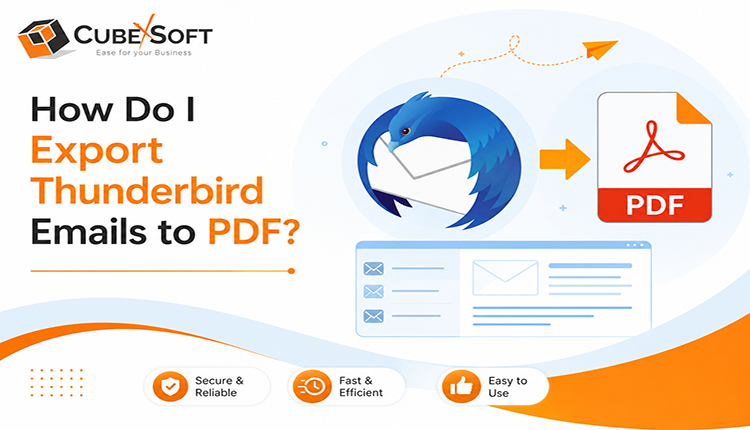
Converting Thunderbird emails into PDF format ensures long-term preservation, enhanced security, and easy sharing across platforms. In this blog, we will explore the best solutions of the users’ query how do i convert Thunderbird emails to PDF and how a dedicated converter simplifies the entire process. We will also discuss the manual method to export Thunderbird emails to PDF. So, users can opt for the precise option accordingly.
Thunderbird to PDF Converter –Best Way to Export Thunderbird Emails to PDF
CubexSoft Thunderbird to PDF Tool is a reliable utility helps users effortlessly convert Mozilla Thunderbird email data into secure, universally accessible PDF documents. This tool enables individuals, businesses, and IT professionals to preserve important email communications in a non-editable and widely accepted format without any data loss. With the increasing need for email archiving, legal compliance, and offline accessibility, Thunderbird to PDF Converter provides a streamlined solution that maintains the original structure, formatting, and integrity of emails. It accurately converts email content, including subject lines, sender and recipient details, timestamps, message body, and attachments into well-organized PDF files. The software is built with an intuitive interface that allows both technical and non-technical users to perform conversions with ease. Thunderbird to PDF Converter ensures high accuracy, fast processing, and complete data security throughout the conversion process.
Key Features of Thunderbird to PDF Conversion Tool
- Converts Thunderbird emails (MBOX, EML, SBD, no extension file, etc.) into PDF format with high accuracy
- Preserves original email formatting, layout, and metadata
- Supports batch conversion for multiple emails or folders at once
- Maintains folder hierarchy during the conversion process
- Ensures data integrity with a secure and read-only PDF output
- User-friendly interface suitable for all types of users
- Compatible with all major versions of Mozilla Thunderbird and Windows OS
How Do I Export Thunderbird Emails to PDF? – Working Steps
Below are the working steps of the Thunderbird to PDF Converter:
Step1: Download and Install the Software
First, download the Thunderbird Converter and install it on your system. Once the installation is complete, launch the application to begin the conversion process.
Step2: Add Thunderbird Email Data
Choose the option to load Thunderbird data. You can either allow the tool to automatically detect the Thunderbird profile or manually browse and select the required files or folders containing your emails.
Step3: Select PDF as the Output Format
From the list of available export options, select PDF as the desired output format. The tool ensures emails are converted into readable and secure PDF documents.
Step4: Choose Destination Location
Browse and select a destination folder on your system where the converted PDF files will be saved.
Step5: Start the Conversion Process
Click on the Export button to initiate the conversion. The software will begin converting Thunderbird emails into PDF format while maintaining original formatting and folder structure.
Manual Method to Export Thunderbird Emails to PDF
Thunderbird does not provide a direct “Export to PDF” option for emails in all versions. However, you can manually convert an email to PDF using the system’s built-in print-to-PDF feature.
Steps to Convert a Thunderbird Email to PDF
- Open Mozilla Thunderbird on your computer.
- Navigate to the email folder containing the message you want to convert.
- Open the required email.
- Select File > Print or press Ctrl+P (Windows/Linux) or Cmd+P (Mac OS).
- In the printer selection window, choose Microsoft Print to PDF, Save as PDF, or another PDF printer available on your system.
- Configure the required print settings, such as page size, orientation, margins, and number of pages.
- Click Print or Save.
- Select the destination folder and enter a suitable file name.
- Click Save to create the PDF.
Limitations of the Manual Method
The manual print to PDF approach is convenient for handling a small number of emails, but it has several limitations:
Time-consuming: Each email generally needs to be opened and converted individually.
Not suitable for bulk conversion: Converting hundreds or thousands of emails manually is impractical.
No automated folder preservation: The original Thunderbird folder structure is not automatically reproduced in the PDF output.
Attachments may not be preserved: Printing an email to PDF usually captures the email’s visible content, but attachments are not necessarily embedded in the resulting PDF.
Formatting can change: Email layouts, fonts, images, signatures, and tables may not appear exactly as they do in Thunderbird.
Human error: Repetitive manual conversion can result in missed emails, incorrect file names, or files being saved in the wrong location.
No batch processing: The method does not provide an efficient way to automatically convert an entire mailbox or selected folders.
Difficult for long-term archiving: For large-scale email archiving, manually generated PDF can become difficult to organize and manage.
Wrap Up
The suggested Thunderbird to PDF Converter offers an effective solution by converting emails into universally accepted PDF files while preserving their original content and structure. Converting Thunderbird emails to PDF is a smart and practical approach for safeguarding important communications, ensuring compliance, and improving accessibility. And Thunderbird to PDF Converter not only preserves the original email formatting and metadata but also provides a secure, shareable, and easily readable output. Know more about how do i export Thunderbird emails to PDF free using free demo edition of the tool that enables to convert 20 emails from Thunderbird to PDF files free of cost. Get this advanced application on Windows Operating Systems such as Windows 11, Window 10, Windows 8, Windows 7, Windows 8.1, etc.