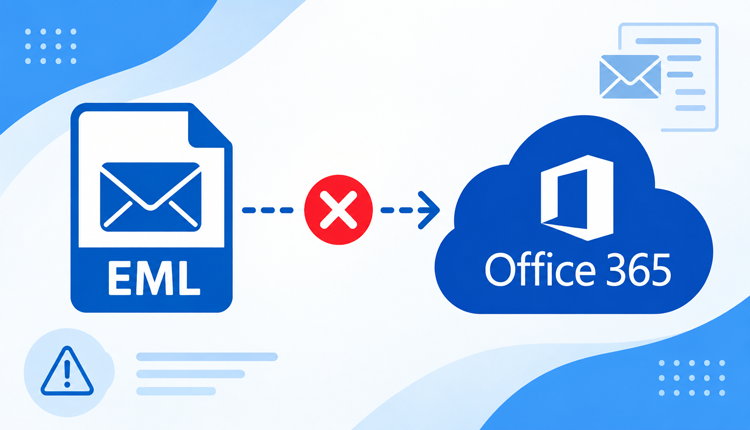
Moving EML files to Office 365 can become difficult when emails fail to import, attachments are missing, or the transfer stops with an error. EML is a widely used email file format supported by several email clients, but transferring standalone EML files into Microsoft 365 involves additional compatibility and authentication requirements.
If you are facing an EML to Office 365 import error, the problem may be related to file integrity, mailbox configuration, permissions, or the migration method being used. This guide explains the common reasons behind failed EML transfers and how to resolve them.
What Causes EML to Office 365 Import Errors?
There is no single reason why EML files fail to transfer to Office 365. The issue can occur because of the source files, Microsoft 365 configuration, or the migration process itself.
1. Corrupted or Damaged EML Files
An EML file contains email headers, message content, MIME data, and attachments. If the file has been partially downloaded, damaged, or incorrectly saved, Office 365 may not process it properly. Symptoms can include –
- EML files failing to import
- Blank email content
- Missing attachments
- Import process stopping unexpectedly
Before starting a large transfer, it is useful to check whether the EML files can be opened correctly in a compatible email client.
2. Large Number of EML Files
Transferring a few EML files is generally easier than processing thousands of messages. A large collection can create organizational and processing challenges, particularly when files are stored across multiple folders.
Large datasets can also make it difficult to identify which messages failed during the transfer.
3. MIME or Email Structure Problems
EML files can contain different MIME structures, character encodings, inline images, and attachments. An improperly structured message may not be interpreted correctly during import. This can result in –
- Incorrect formatting
- Missing message content
- Broken inline images
- Attachments not appearing correctly
Therefore, an EML file that opens normally in one application may still encounter compatibility problems during another type of import process.
4. Office 365 Account or Permission Issues
Office 365 uses authentication and mailbox permissions to protect user data. If the destination account is not properly configured or the required permissions are unavailable, the transfer may fail.
Authentication-related problems can occur because of incorrect credentials, account restrictions, or Microsoft 365 security policies.
5. Unsupported or Incorrect Import Method
One of the biggest challenges is that EML files are individual email files rather than a complete Office 365 mailbox database. Depending on the migration scenario, simply selecting EML files and attempting to upload them may not provide the expected result.
A dedicated migration application can simplify this process by reading the EML structure and transferring the email data to the selected Microsoft 365 mailbox.
How to Fix EML to Office 365 Import Errors?
- Check the EML Files First – Open a few representative EML files and verify that the message body, sender/recipient information, dates, and attachments are available. If the source files themselves are damaged, repairing the destination process will not solve the problem.
- Verify Office 365 Credentials – Make sure the destination Office 365 account is active and accessible. Also verify that the account has the necessary permissions required by the selected migration method.
- Organize EML Files Before Transfer – If EML files are scattered across different folders, organize them before beginning the transfer. This makes it easier to select the required data and troubleshoot failed items.
- Try a Dedicated EML Migration Tool – When manual approaches become complicated, specialized software can automate the EML-to-Office-365 transfer and reduce the amount of technical configuration required.
EML to Office 365 migration Solution for Mac
For Mac users who need to transfer EML files to Microsoft 365, MacMister EML Converter for Mac provides a dedicated approach for handling the migration.
Instead of manually processing individual EML files, the software is designed to scan the selected EML data and provide options for transferring it to an Office 365 mailbox. The tool can be useful when you have a large collection of EML files and want a more structured migration process.
Key Features of EML to Office 365 Tool
- Bulk EML Transfer – The EML to Office 365 for Mac Tool allows users to select multiple EML files or folders rather than processing every message individually. This is useful for larger email collections.
- Maintains Email Data – During the transfer, the software is designed to preserve important email information such as sender, recipient, subject, date, message content, and attachments.
- Folder-Based Processing – If EML files are already arranged into folders, folder-based selection can make the migration easier to manage and organize.
- Simple Mac-Based Interface – The tool is designed for Mac users, providing a straightforward interface for selecting EML data and connecting it with the destination Office 365 account.
- Useful for Technical Import Problems – A dedicated tool can be particularly helpful when conventional EML import methods become difficult because of file volume, folder structure, or compatibility-related problems.
Manual Import vs. Dedicated EML to Office 365 Tool
A manual approach may work for a small number of emails, but it becomes less practical when hundreds or thousands of EML files are involved. Manual processing can also require additional configuration and may make it harder to maintain folder organization.
A dedicated application is more suitable when the requirement involves bulk EML files, multiple folders, attachments, or repeated migration tasks. It provides a centralized workflow rather than requiring users to handle each email separately.
Conclusion
An EML to Office 365 import error can occur because of damaged files, large datasets, MIME or encoding problems, account permissions, or limitations of the selected import method. Identifying the actual cause before starting a bulk transfer can prevent incomplete migrations and missing email data.
For Mac users, EML to Office 365 Tool for Mac offers a dedicated way to process and transfer EML files to Office 365. It can be especially useful when dealing with multiple EML files, folder-based email collections, and attachments. By checking the source files and destination account first and then using an appropriate migration method, users can make the EML to Office 365 transfer more organized and reliable.