Today all Email Client support IMAP Server So first we see what IMAP Server means. The full form of IMAP is internet message Access Protocol. It was designed to complete the goal of management of email box by multiple email client. So now the question arises in the mind of users how do I export my email from IMAP server to local desktop? First we explain why we need to export email from IMAP server.
Key Benefits of IMAP Server
- IMAP gives you facility to access the same account in multiple devices at the same time.
- IMAP also facilitate to configure same email id in multiple email client to access mailbox.
- It provide two port no i.e. 143 and 993 which is helpful to connect with IMAP securely.
- It allows you to save any particular email to eliminate saving of unnecessary emails.
Benefits of Exporting Emails from IMAP Server to Local Desktop
- Exported Mailbox from IMAP Server can be easily accessed without internet connection.
- Exported files in PDF form can be easily read in adobe reader and can be easily printed according to requirement.
- Exported files are easily accessible by different type of application.
- In case of email account suspension backup proved to be helpful.
- Files exported from IMAP Server can be easily imported to other email clients.
How to Export Emails from an IMAP Server – Working Steps
Download and launch CubexSoft IMAP Backup Tool in your local system.
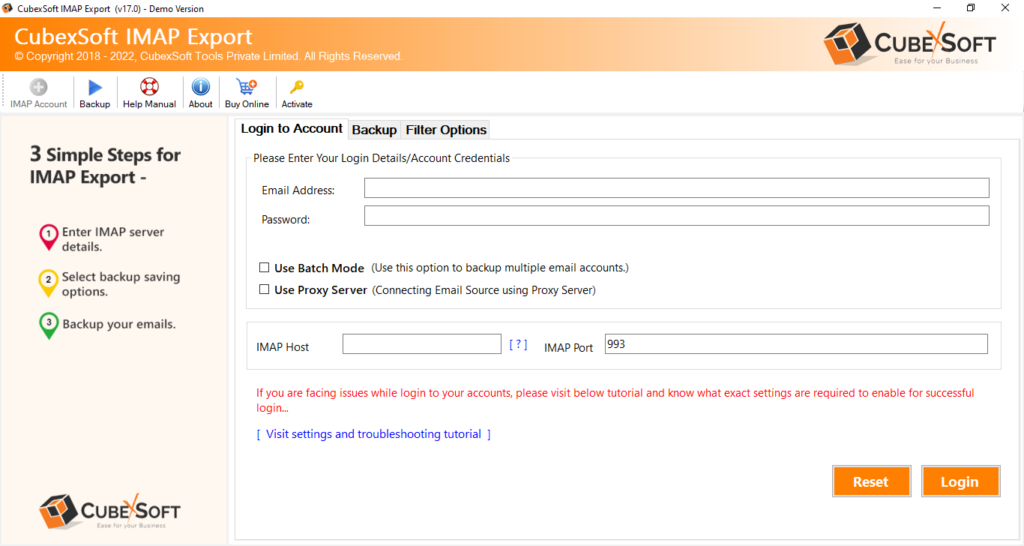
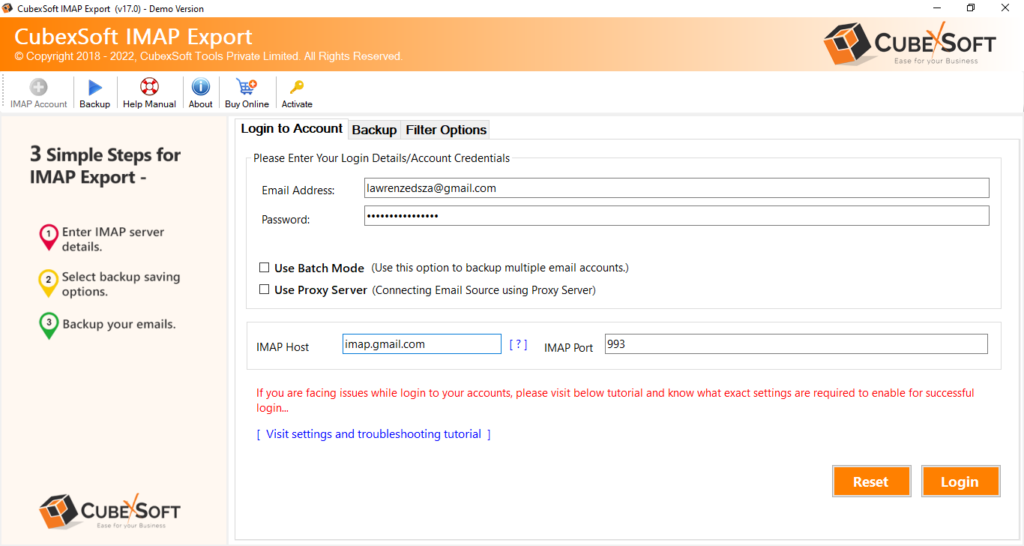
Fill your login details i.e. email id & password and IMAP details i.e. IMAP host & IMAP port no.
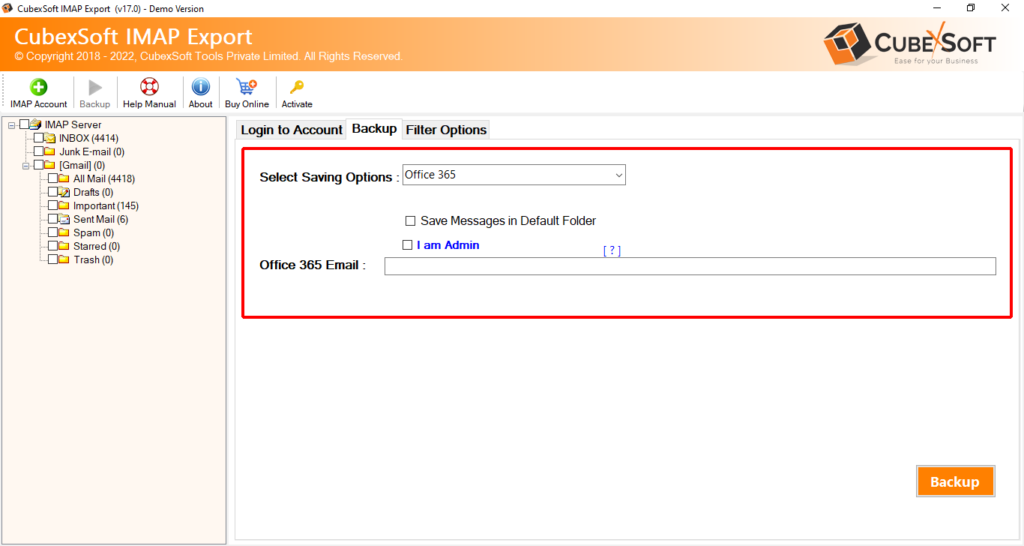
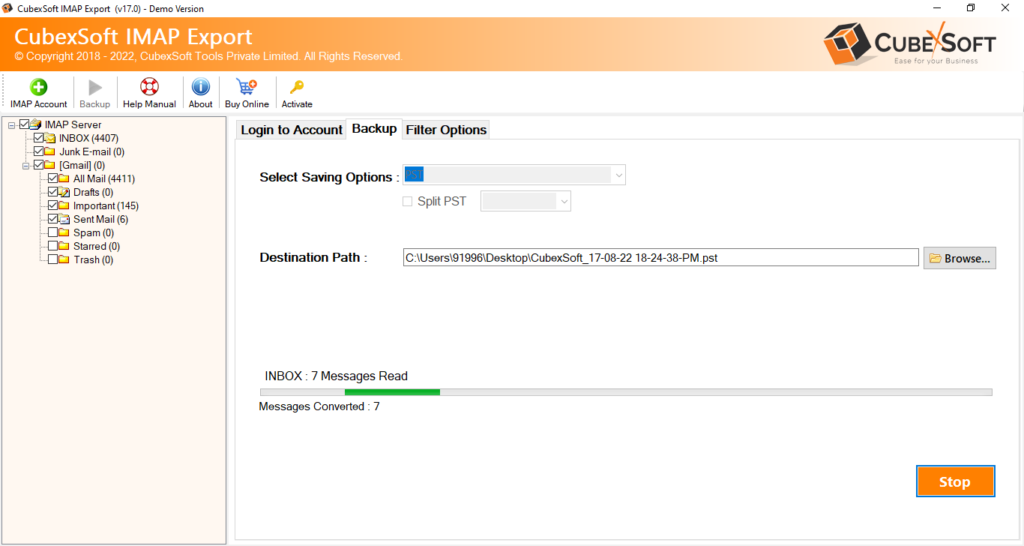
After successfully login the software load all your IMAP server database and start showing it in left side of your screen. Now choose the files you want to export in select saving option.
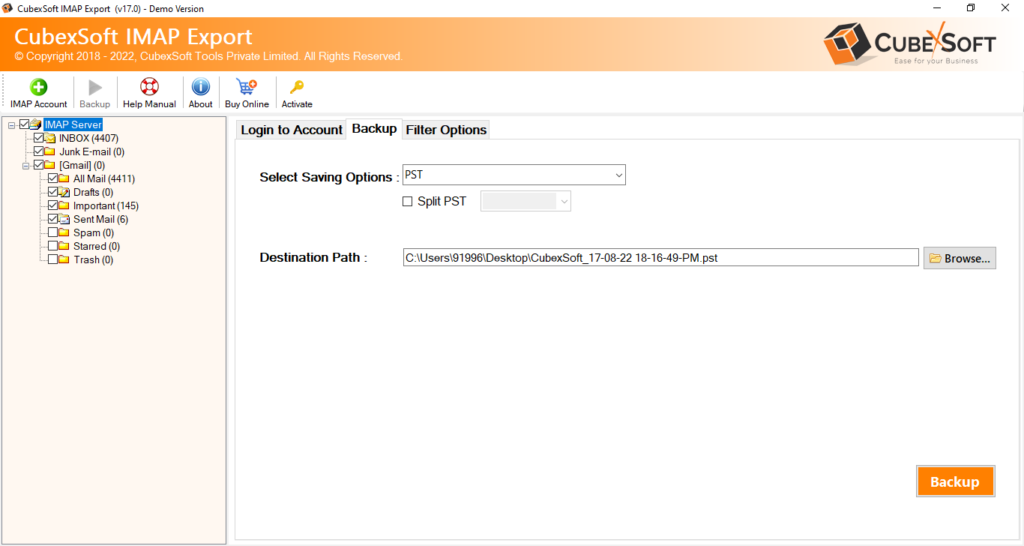
The software gives you option of both hard drive and cloud based application.
If you select cloud based program, you just need your login details.
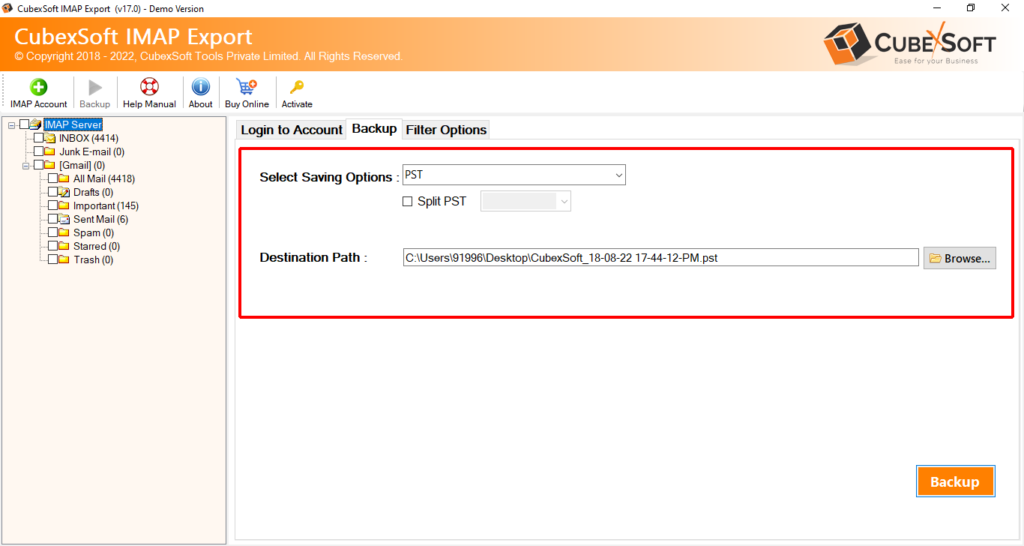
If you choose hard drive application you have to browse for destination path where you want to save your exported files.
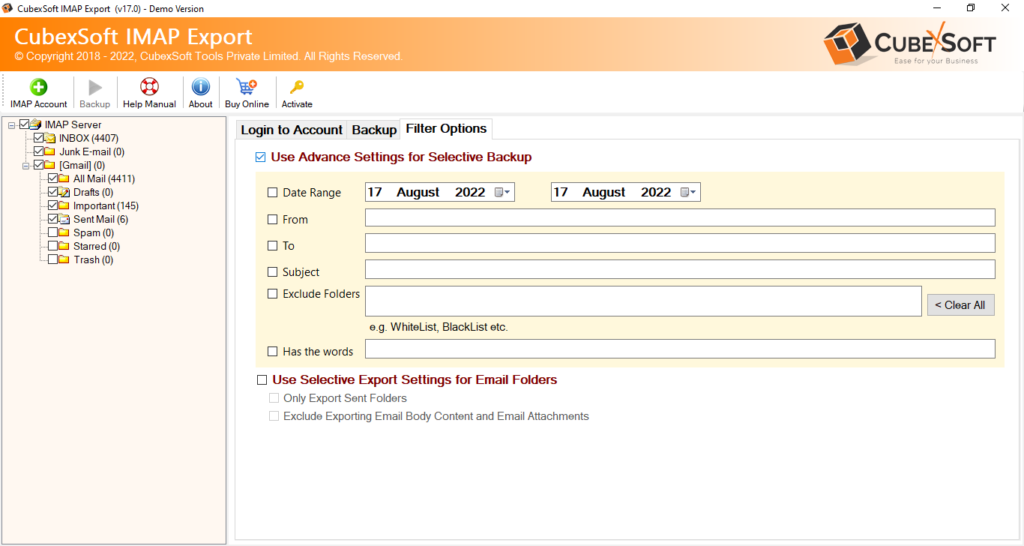
Now choose appropriate filters to save your file.
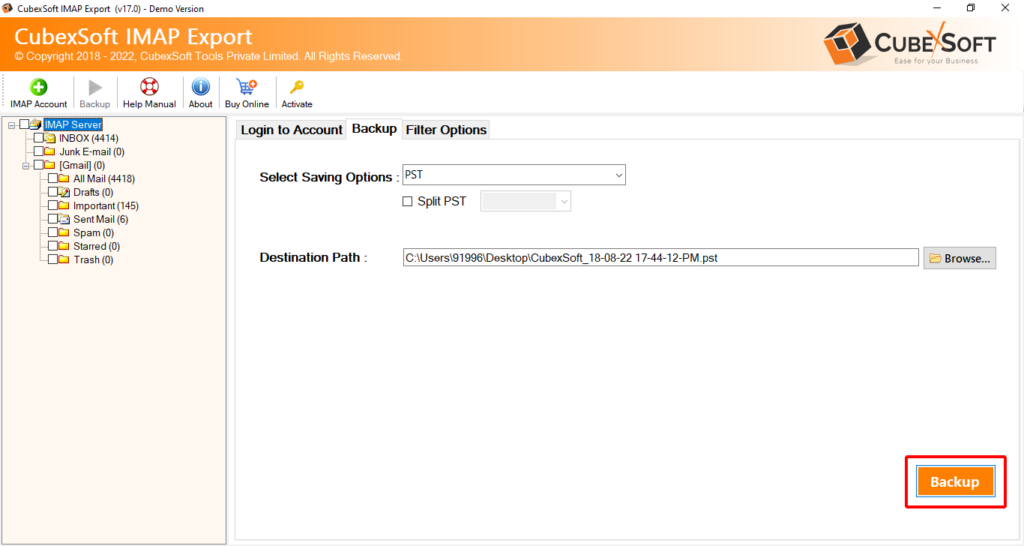
Finally after selecting all the required filters move your curser to the backup button and press it.
The program start showing the backup procedure on your screen, once the backup is finished it delivers you backup report. You can save it for future use in TXT file format.
Key Features of the IMAP Backup Tool
- IMAP Backup Software provides various hard drive (PST, PDF, HTML, MHTML, MBOX, MSG, EML, EMLx) and cloud based (Office 365, Gmail, Outlook Webmail, Hotmail, Yahoo mail, G Suite etc.) format to export email form IMAP server.
- It is supportable in Windows version such as 11, 10, 8, 7, vista etc.
- It maintains the folder hierarchy and other elements accurately.
- The software provides various filters i.e. date, to, from, subject to save your files as per your requirement.
- It provides the backup report which is very helpful for user to know the exact position of backup process. You can also save it in TXT format for future use.
People Also Ask
1. How can I transfer my IMAP emails to my computer?
You can transfer IMAP emails using an IMAP Email Backup Tool by connecting your account and exporting emails to your preferred format.
2. Is there any way to create a backup of IMAP emails locally?
Yes, you can save IMAP emails locally in formats like PST, PDF, EML, MBOX, and MSG.
3. How do I export emails from IMAP server to PST, PDF, or other formats?
Connect your IMAP account, select folders, choose the export format, and start the backup process.
4. Can I download all emails from my IMAP account at once?
Yes, you can export the complete mailbox data with a professional IMAP backup tool.
5. What is the easiest method to move IMAP emails to a local desktop?
Using an automated IMAP Migration Tool is the easiest way to export emails to a desktop.
6. Does IMAP email export save attachments and folder structure?
Yes, it preserves email attachments, folder hierarchy, and other mailbox details.
7. Can I open IMAP backup files after exporting them?
Yes, exported files can be opened with compatible applications.
8. How can I export emails from IMAP when the mailbox size is large?
Use a reliable IMAP Backup Tool that supports large mailbox export and filtering options.
9. Is it safe to store IMAP emails on a local drive?
Yes, local storage provides an extra backup copy of important emails.
10. Can exported IMAP emails be migrated to another email account?
Yes, exported emails can be imported into supported email clients or services.
Final Thoughts
We hope this blog will help you to get answer to your question that how do I export my email from IMAP server to local desktop. In this blog we deeply explain all the aspect of your query. If you want to practically know the working of software then download its demo version which is for evaluation purpose. In this demo version you get backup of 25 mails each from selected folder.

