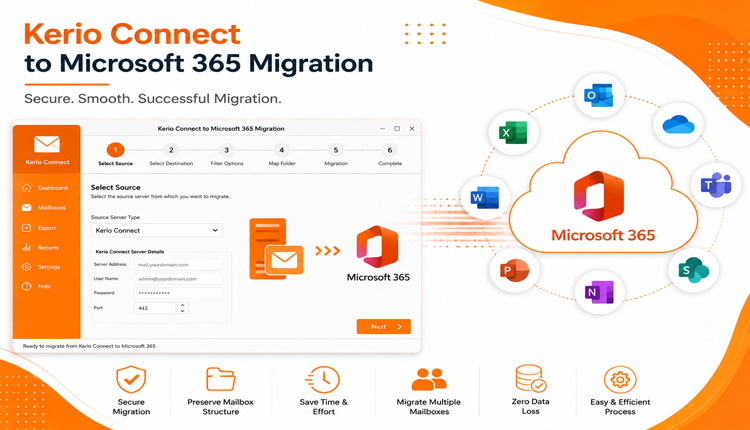
Many businesses are replacing traditional on-premises email servers with cloud-based platforms to improve collaboration, security, and scalability. One of the most common migration projects today is moving from Kerio Connect to Microsoft 365. While the migration may sound straightforward, transferring years of emails, contacts, calendars, tasks, and other mailbox data without losing information can be challenging.
If not planned correctly, users may experience missing emails, duplicate items, synchronization problems, or extended downtime. This guide explains why organizations migrate from Kerio Connect to Microsoft 365, the common challenges they face, and the available migration approaches to ensure a smooth transition.
Why Migrate from Kerio Connect to Microsoft 365?
Microsoft 365 has become the preferred email platform for businesses because it combines email hosting with productivity and collaboration tools. Some of the major reasons for migration include –
- Access emails from anywhere using Outlook, webmail, or mobile devices.
- Built-in Microsoft Teams integration.
- OneDrive cloud storage.
- Better spam filtering and security protection.
- Automatic software updates.
- Reduced server maintenance costs.
- Flexible storage plans.
- Enterprise-grade compliance and data protection.
As organizations grow, Microsoft 365 provides better scalability than maintaining an on-premises Kerio Connect server.
Common Challenges During Kerio Connect to Microsoft 365 Migration
Although both platforms support email communication, migrating mailbox data isn’t always seamless. Users frequently encounter issues such as –
- Different Mailbox Structures – Kerio Connect stores mailbox information differently than Microsoft 365. Folder mapping must be handled carefully to avoid misplaced emails.
- Large Mailboxes – Organizations with years of email history often have mailbox sizes exceeding several gigabytes, making migration slower and more complex.
- Attachments and Metadata – Preserving email attachments, timestamps, sender information, read/unread status, and folder hierarchy is essential during migration.
- Calendar and Contact Synchronization – Businesses rely heavily on calendars, shared contacts, recurring meetings, and tasks. Any inconsistency can affect daily operations.
- Downtime Concerns – A poorly planned migration may interrupt email communication, affecting employee productivity.
If you encounter unexpected errors, authentication failures, or mailbox synchronization issues during the migration process, it’s important to identify the root cause before proceeding. You can also explore this detailed guide on Kerio Connect migration not working for troubleshooting common migration problems.
Things to Prepare Before Migration
Proper preparation significantly reduces migration risks. Consider the following checklist –
- Verify Kerio Connect administrator credentials.
- Create Microsoft 365 user accounts.
- Ensure sufficient Microsoft 365 mailbox storage.
- Check internet stability.
- Remove unnecessary mailbox data.
- Take a backup before starting migration.
- Inform users about the migration schedule.
- Test migration with a small mailbox first.
These basic preparations help minimize unexpected errors during the migration process.
Manual Migration Overview
Kerio Connect supports standard email protocols like IMAP, which makes it possible to move mailbox data into Microsoft 365 using supported email clients or migration methods. However, the process often involves configuring multiple accounts, syncing mailbox folders, validating transferred data, and manually checking whether emails have been copied correctly.
While this approach may work for small mailboxes or individual users, it generally becomes more time-consuming as mailbox size and the number of users increase. Organizations managing multiple accounts usually look for solutions that simplify the migration process while reducing manual effort.
An Alternative for Large-Scale Migration
For businesses handling multiple user accounts or large mailbox data, many IT professionals choose dedicated migration software instead of relying entirely on manual methods.
One such option is the CubexSoft Kerio Converter, which is designed to export Kerio Connect mailbox data into multiple formats and cloud platforms, including Microsoft 365. Rather than manually configuring each mailbox, the software helps automate much of the migration workflow while preserving mailbox structure and important email properties. Depending on migration requirements, dedicated tools can also help with –
- Migrating multiple mailboxes in one operation.
- Preserving folder hierarchy.
- Maintaining email formatting and metadata.
- Keeping attachments intact.
- Reducing manual configuration.
- Handling large mailbox sizes more efficiently.
- Minimizing migration downtime.
Organizations should always evaluate any migration solution based on their business requirements, data volume, and IT policies before proceeding.
Best Practices for a Successful Migration
To ensure a smooth transition –
- Create a complete mailbox backup.
- Test the migration with sample accounts.
- Verify migrated mailbox contents.
- Compare email counts before and after migration.
- Check calendars and contacts.
- Confirm Outlook synchronization.
- Inform users before switching mail flow.
- Monitor Microsoft 365 after migration.
Following these practices helps reduce post-migration issues.
Frequently Asked Questions
Q. Can I migrate Kerio Connect directly to Microsoft 365?
Ans. Yes. Migration is possible using supported methods or specialized migration software, depending on your environment and mailbox size.
Q. Will my folder hierarchy remain intact?
Ans. This depends on the migration approach. Many dedicated migration tools are designed to preserve mailbox folder structures during the transfer.
Q. Is there a risk of losing email attachments?
Ans. Properly executed migrations generally preserve attachments. However, creating a backup before migration is always recommended.
Q. Which migration method is suitable for businesses?
Ans. For organizations with multiple users or large mailbox data, automated migration solutions are often preferred because they reduce manual effort and improve migration efficiency.
Q. How long does Kerio Connect to Microsoft 365 migration take?
Ans. Migration time depends on mailbox size, internet speed, the number of user accounts, and the migration method being used.
Conclusion
Migrating from Kerio Connect to Microsoft 365 allows organizations to take advantage of Microsoft’s cloud ecosystem, enhanced collaboration tools, and enterprise-grade security. However, successful migration requires careful planning to avoid data loss, mailbox inconsistencies, or downtime.
While basic migration methods may be suitable for small environments, organizations with larger mailboxes or multiple user accounts often consider dedicated migration solutions to simplify the process. Evaluating your infrastructure, preparing your environment, and validating migrated data are key steps toward a successful Kerio Connect to Microsoft 365 migration.

