Email migration from a Windows PC to a macOS platform presents one of the primary technical issues in terms of working with PST files. Though PST files are a standard format on a Windows-based platform with Outlook mail program, they are incompatible with Apple’s default email client Mac Mail.
The problem becomes even more challenging in case of large size PST files, which may be several gigabytes in size. Large PST files are very sensitive to processing, thus, any attempts to perform the operation manually or by some unoptimized external tool will lead to data truncation, missing attachments, folder structure corruption, etc.
Here is a complete guide on the challenges of importing large PST files and a reliable way to import emails in Mac Mail using MacMister PST Converter Tool.
The Challenges of Handling Large PST Files on macOS
With increased file size above a few gigabytes, the inner binary structure gets complicated. In the event of making efforts to convert the file manually, the following problems may arise:
- Structure Corruption: Large PST files have a nested structure of folders. Unplanned software interruption or faulty parsing may corrupt the MAPI pointers leading to unreadable directories.
- Memory Overflow: The memory on macOS and most basic converters tries to fit everything in one go, leading to crashes and system lockups when dealing with large files.
- Metadata Stripping: Dates, senders/ recipients fields, inline images, and hyperlinks get lost or distorted when the file undergoes conversion through multiple steps.
- Macintosh Incompatibility: Since Mac Mail is capable of reading MBOX and EML files only, importing a file in some specific file format from Windows will be impossible.
To clear these risks, you need a specialized, enterprise-grade conversion utility built to handle massive data loads reliably.
How to Import Large PST files into Mac Mail using Advanced Approach?
MacMister PST Converter for Mac & Windows Tool for Mac is a specially made utility to connect the worlds of Windows Outlook PST archives and native macOS applications. It will ensure the safe extraction of information from PST archives (irrespective of their size) and its conversion to MBOX and EML formats that can be imported into Mac Mail without any problems.
Key Advantages of the Application:
- The software is designed to work with multi-gigabyte and large PST files without suffering from any performance slowdowns or memory leaks.
- It lets you add multiple PST files to be converted all at once and thereby save considerable migration time for enterprise backups.
- The software preserves all folder structures, formatting, attachments, metadata, as well as read/unread statuses.
- The software does not depend on Microsoft Outlook or any other Windows-based environment on your Mac.
Step-by-Step Guide: Importing Large PST Files into Mac Mail Safely
To prevent the data loss and any data corruption when moving large PST archives into Mac Mail, the user needs to do the following actions:
Step 1. Download and install MacMister PST Converter utility, by simply dropping its installation file into Application folder of the macOS.
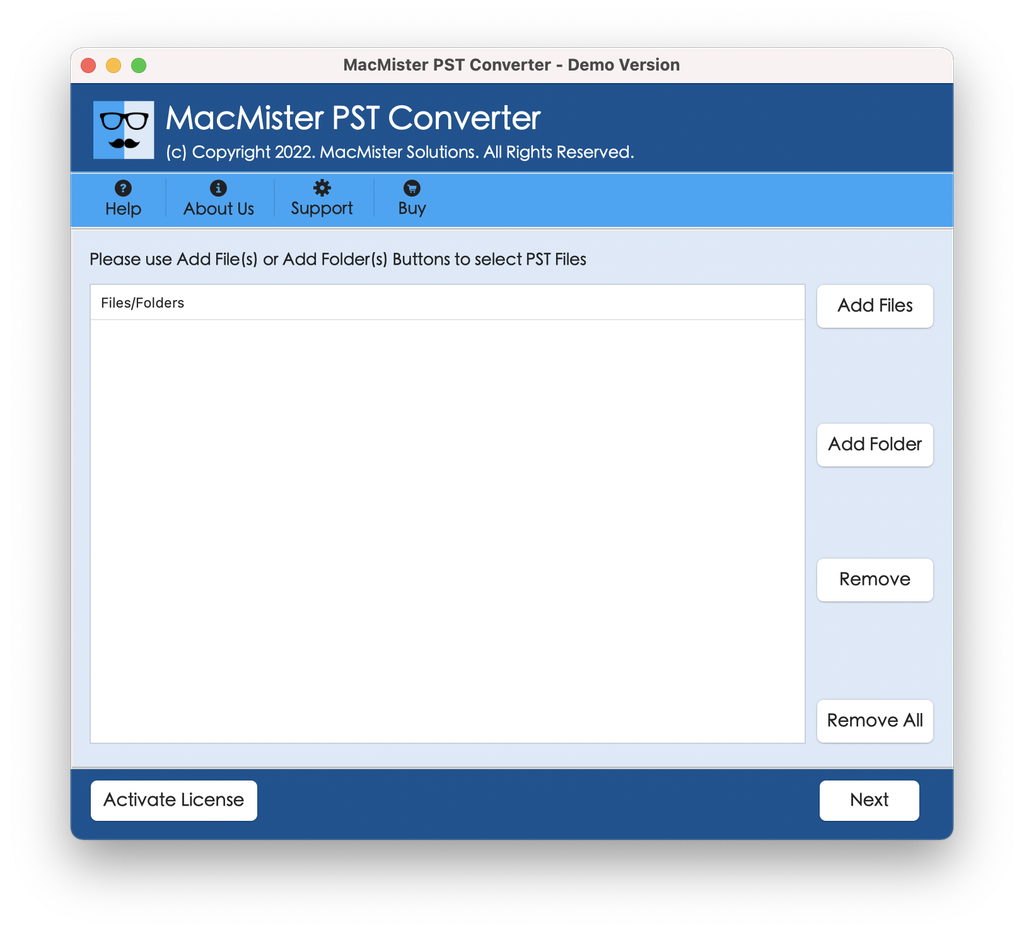
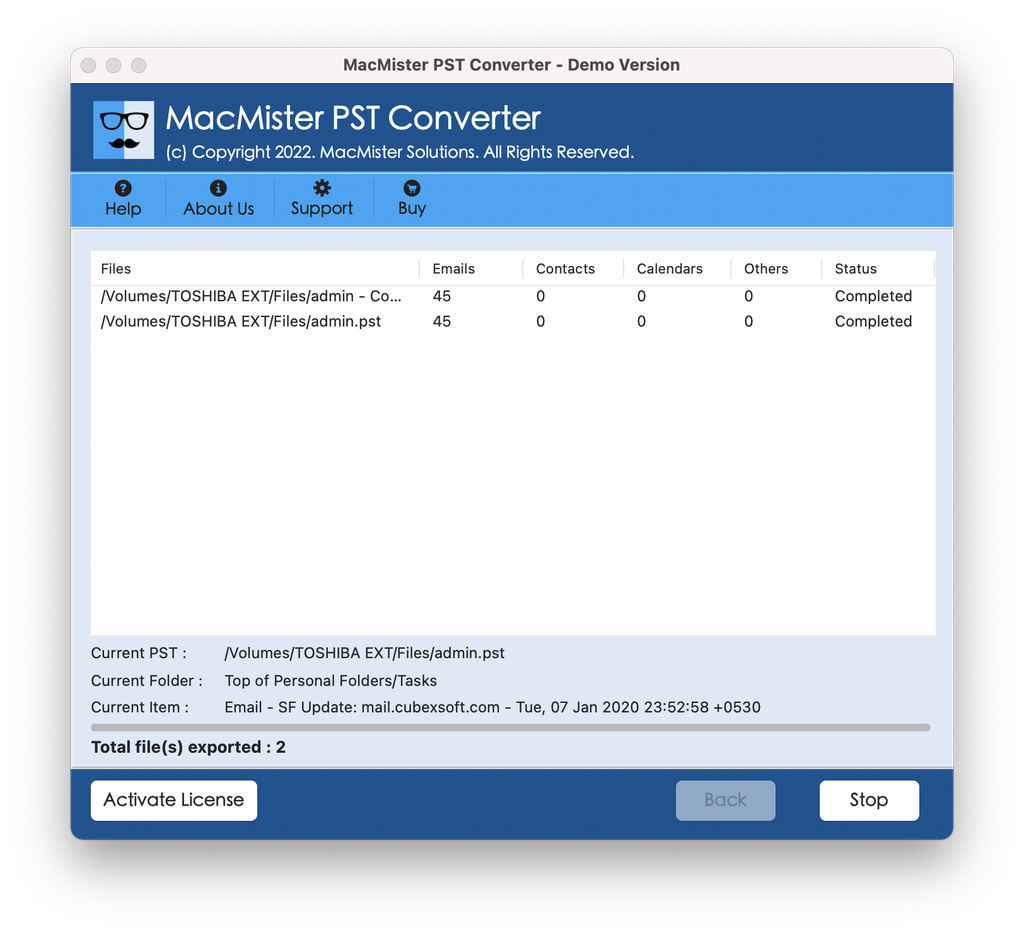
Step 2. Click “Add File” or “Add Folder” button, launch the browsing window of your macOS and find there your large PST file.
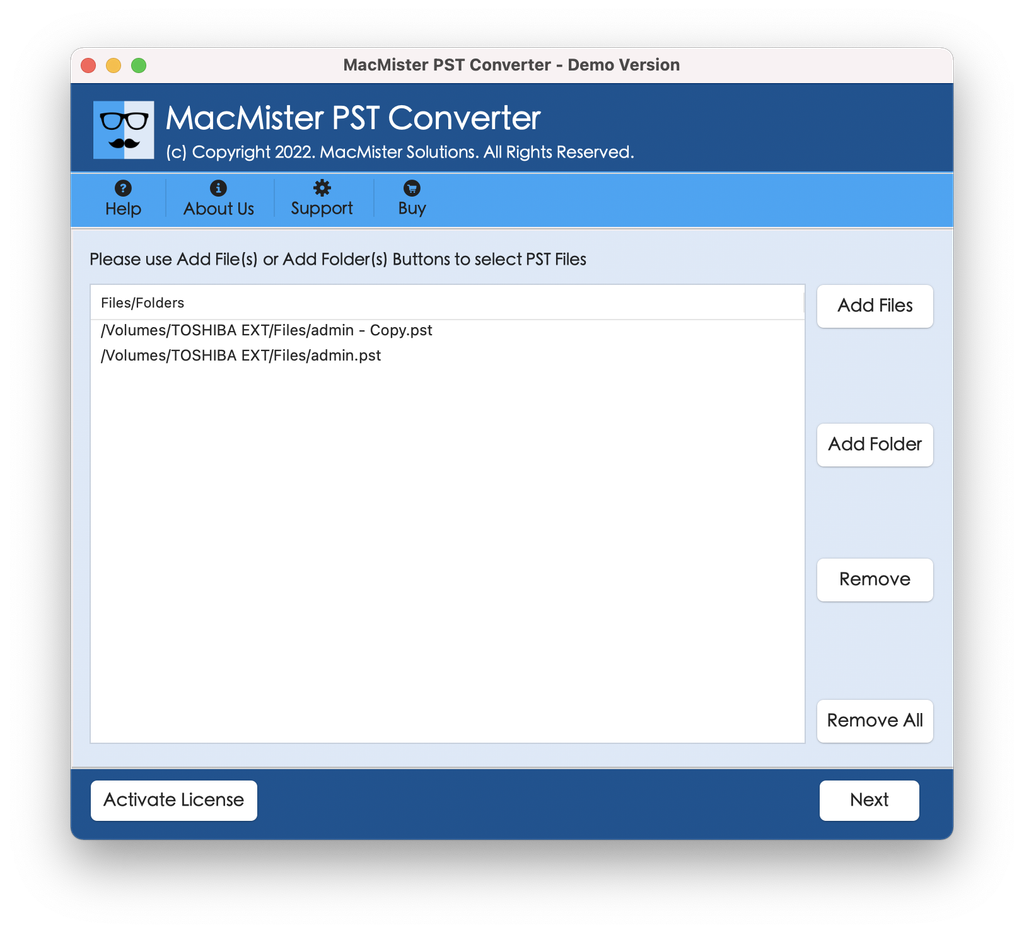
Step 3. Review the folder contents, if needed; click Settings window and choose MBOX format as exporting format (most suitable for Mac Mail bulk importing).
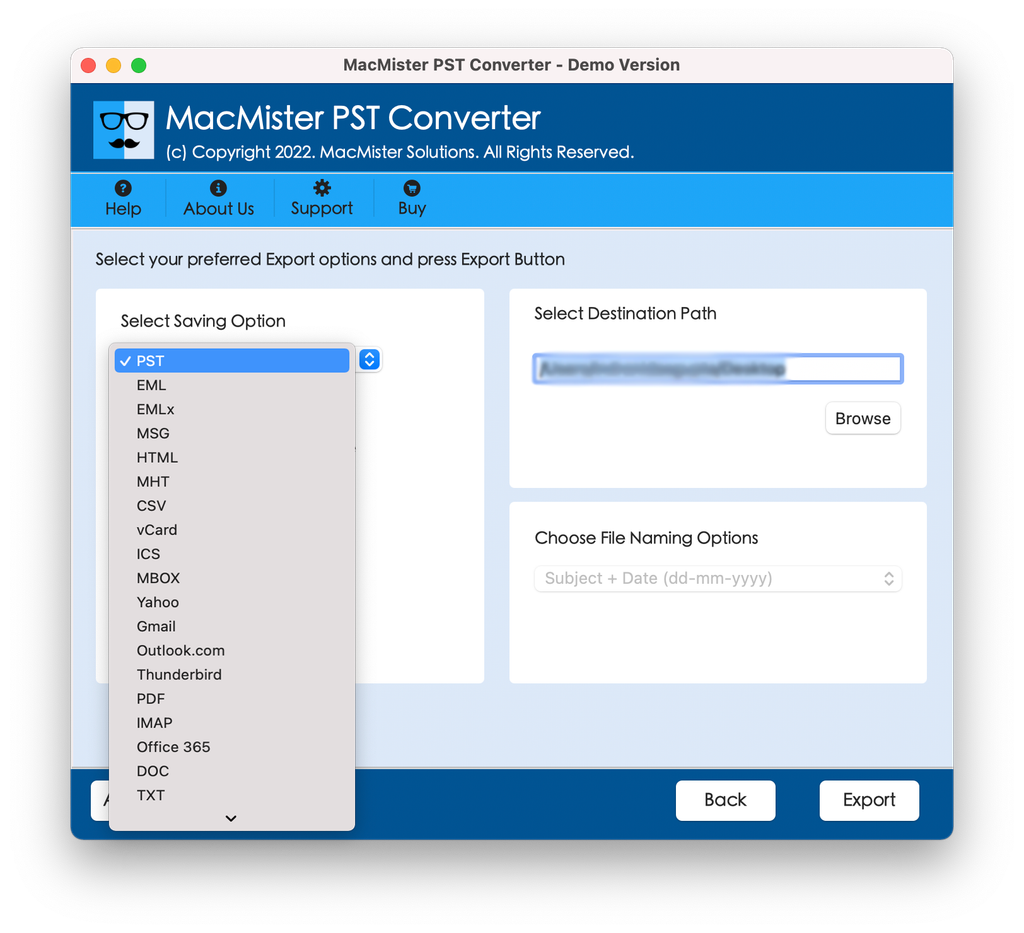
Step 4. Choose the destination folder on your Mac hard drive, where your converted files will be saved and click Export or Convert button.
Step 5. Run the Mac Mail program on your Mac computer. Go to the main menu and choose File > Import Mailboxes command. Choose the Files in mbox format.
Conclusion
Migrating large PST archives into Mac Mail does not have to be a stressful or corruption-prone endeavor. By avoiding manual shortcuts and utilizing a dedicated utility like the MacMister PST Converter Tool, you ensure that your data is handled securely, efficiently, and without loss of vital metadata. Take control of your cross-platform data management today and transition your archives into macOS with total confidence.

