Summary : Follow this tutorial to learn the best method to convert MDaemon emails to Outlook PST and access MDaemon mailbox data in Outlook 2021, 2019, 2016, 2013, and other supported Outlook editions.
Many small and medium-sized businesses use MDaemon for their business email requirements. However, there are many situations when users need to save their MDaemon emails to Outlook PST files, such as shifting from one email environment to another, adopting new technology, changing jobs where MDaemon was used previously, or moving to an office that uses MS Outlook.
If you are one of them and need a reliable solution to convert MDaemon mail folders to Outlook, this guide explains the available approach and how to perform the conversion while maintaining the original mailbox structure and supported data. But, first let’s understand the difference between MDaemon and Outlook.
MDaemon and Outlook
MDaemon is a Windows-based groupware and email server application that enables small and medium-sized businesses to manage their email environment effectively. It supports various features such as anti-spam filtering, document and file sharing, shared mailboxes, email management, contacts, and other collaboration features.
Outlook, on the other hand, is Microsoft’s email and personal information management application. It supports emails, contacts, calendars, notes, tasks, journals, search, reminders, and several other productivity features. Outlook is also widely used with Microsoft 365 and Exchange-based environments.
Since MDaemon and Outlook use different ways of storing and managing mailbox data, users may need to convert MDaemon mailbox data to PST when moving from MDaemon to Outlook.
Why Do Users Need to Add MDaemon Emails to Outlook?
Here are some common situations faced by users:
I have recently changed my job. Previously, I used MDaemon, but at my new company, we are using Outlook for communication. I created a backup of my MDaemon data and need to access a few contacts and emails in Outlook. I tried manually importing MDaemon emails into Outlook using the drag-and-drop option, but instead of displaying the complete email content, it showed an error in the message preview. Can someone please help me in converting MDaemon mailboxes to Outlook?
– Mayra
We have been using MDaemon mail server for the last five years. Due to increasing maintenance requirements, we have decided to switch completely to Outlook. Can anyone please help me export MDaemon user profiles to Outlook PST without losing the existing mailbox data?– Steven
MDaemon to PST Converter – Professional Solution to Add MDaemon Files to Outlook
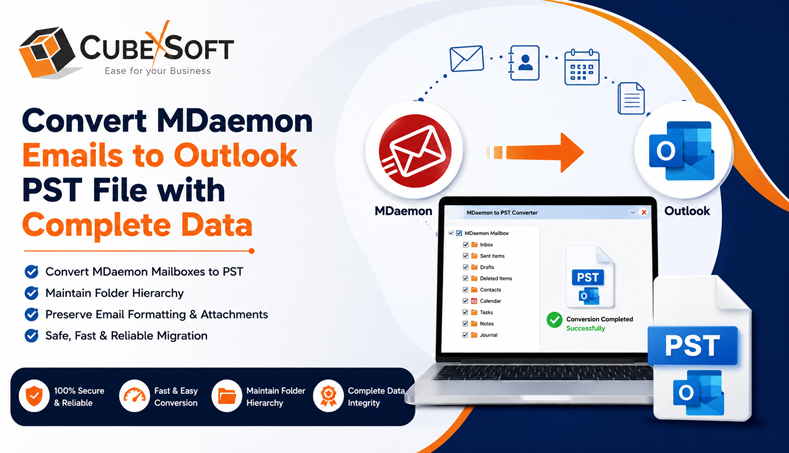
MDaemon provides an Outlook Connector that can help users access or synchronize MDaemon mailbox data with Microsoft Outlook. However, synchronization and PST conversion are two different requirements. If you need an independent and portable Outlook data file, converting the MDaemon mailbox data into PST can be a more suitable approach. For this purpose, users can use a professional utility such as CubexSoft MDaemon to PST Converter. It provides a reliable solution to convert MDaemon emails to Outlook PST and supports both single and bulk migration of MDaemon data.
The tool allows users to add MDaemon files or folders, select the required mailbox data, and save the resultant data in PST format. This can be useful when migrating multiple MDaemon users or when you need to preserve the existing mailbox organization during conversion.
How to Convert MDaemon Emails to Outlook PST File
- First of all, download and launch the tool on your PC
- Now add MDaemon files/folders using the two options, i.e., Select Files or Select Folders
- The tool will start adding MDaemon folders while maintaining the available folder hierarchy. Select the required files or folders by ticking their checkboxes and click Next.
- Select PST from the Select Saving Options drop-down menu. Choose the required sub-options, apply advanced filters if needed, select the destination location, and click the Convert button.
- The software will start converting MDaemon files to PST and display the live conversion progress.
- Once the process is completed, a new message box appears with the message “Process completed successfully”
Features of MDaemon to PST Converter
- Supports Bulk Migration : The tool is designed to make the migration process easier by allowing users to convert multiple MDaemon files in a single operation. This can save considerable time and effort when handling data from multiple MDaemon users.
- Converts Complete MDaemon Data : The tool supports the conversion of supported MDaemon mailbox data to Outlook PST, including emails and other supported items such as contacts, calendars, notes, and tasks.
- Generates Separate PST File per MDaemon User : If you select the “I am converting multiple users” option while converting MDaemon user data, the tool provides an option to create a separate PST file for each MDaemon user. This makes it easier to manage individual user mailboxes after migration.
- Saves Resultant Files at Desired Location : While converting MDaemon files to PST, the software allows you to select any preferred destination location on your system to save the resultant PST files.
- Creates Unicode PST Files : The software generates Unicode PST files that can be accessed with supported 32-bit and 64-bit editions of Microsoft Outlook.
- Independent Application : Its is an independent application and does not require MDaemon to be installed for performing the conversion. You only need the required MDaemon files, after which the tool performs the conversion according to your selected options.
- Preserves Data Integrity : The software is designed to preserve supported email properties and formatting during conversion. This includes sender and recipient details, subject, attachments, images, hyperlinks, contact details, calendar events, schedules, reminders, recurring tasks, and other supported mailbox information.
- Maintains Folder Hierarchy : Maintaining the original folder hierarchy is an important requirement for users who want to easily manage their MDaemon data in Outlook after conversion. The software is designed to maintain the available folder structure throughout the conversion process.
- Suitable for Windows Operating Systems : The software is Windows-based and supports supported 32-bit and 64-bit Windows editions, including Windows 11, 10, 8.1, 8, 7 etc..
Frequently Asked Questions
Q. Can I convert MDaemon emails to PST?
A. Yes, MDaemon to PST Converter supports to convert supported MDaemon mailbox data into Outlook PST format including email messages, mail folfers, custom folders, contacts, calendars, tasks etc.
Q. Can I convert multiple MDaemon mailboxes to PST?
A. Yes, the professional converter supports bulk processing, allowing multiple MDaemon files or user mailboxes to be processed together.
Q. Does the MDaemon to PST Converter maintain folder hierarchy?
A. Yes, the software is designed to maintain the available MDaemon mailbox folder hierarchy during conversion.
Q. Can I convert MDaemon emails without installing MDaemon?
A. The software works as an independent application and does not require MDaemon to be installed for the conversion process, provided you have access to the required MDaemon files.
Q. Can the converted PST be opened in Outlook?
A. Yes, once the conversion is completed, the resultant PST can be opened or imported into a supported Microsoft Outlook environment.
Conclusion
Converting MDaemon mailbox data to Outlook PST is useful when users or organizations are moving from MDaemon to Outlook, changing their email environment, creating an accessible backup, or migrating historical mailbox data. Although different approaches may be available depending on the MDaemon environment, an automated MDaemon Converter utility provides a straightforward way to convert MDaemon files to PST, process multiple mailboxes, maintain folder hierarchy, and save the resultant data at a desired location. By following the steps explained above, users can convert MDaemon Worldclient emails to Outlook PST and access their mailbox data in Microsoft Outlook.

